Why Your OpenClaw Agent Needs a Browser, Memory, and a Wallet
Most teams still think about agents like chat windows with better prompts. Ask a question, get an answer, copy the answer somewhere else, repeat until everyone is tired.
That is fine for advice. It is not work.
Real work needs an environment. A place to log in, inspect pages, remember what happened last week, call tools, move between systems, and eventually handle paid actions safely. That is why the next serious OpenClaw setup is not just a model connected to Slack. It is an autonomous agent with its own browser, memory, wallet-ready workflow, and hard boundaries around what it can touch.
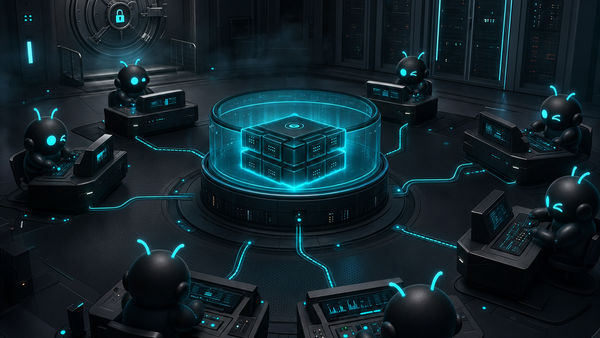
This is the product bet behind ClawBud: your own cloud-native agent army. Not a chatbot. Not a shared container. A full computer, a real army of agents, and a per-agent firewall, all yours, deployed in one click.
Chat is not the same as execution
Chatbots are useful. They are also trapped.
A chatbot can draft an email, explain a spreadsheet, or suggest a plan. But when the task crosses into the messy real world, it usually hands the work back to the human. Open the CRM. Find the lead. Check the invoice. Look at the support thread. Compare the browser page against the database. Send the follow-up.
An autonomous OpenClaw agent is different because it is built for execution. It can run tools, use memory, operate through channels like Telegram or Slack, and work inside a live browser. In ClawBud, that OpenClaw agent runs on its own dedicated computer with a dedicated firewall, so the agent has a real operating environment instead of a tiny shared sandbox.
The browser is where business actually happens
Businesses do not run inside one perfect API. They run inside messy tabs: Stripe, Gmail, Google Calendar, Notion, old supplier portals, customer dashboards, and export buttons that only exist in the browser.
An OpenClaw agent with a dedicated browser can handle work that normal API-only automation cannot reach. It can inspect what a human would inspect, click through workflows, read visual state, and recover when the page changes. That does not mean you should let it do anything it wants. It means the agent finally has eyes and hands in the same places your team already works.
ClawBud gives each agent its own Chromium browser, plus a Watch Agent experience so you can see what the agent is doing and take control when needed. That is the difference between trusting a black box and supervising a worker.
Memory turns tasks into continuity
Without memory, every agent is a very polite intern on their first day.
It can help, but it needs the same context again and again. Which client prefers WhatsApp? Which vendor always sends invoices late? What did we already try last Tuesday? Which tone does the founder hate? What is the safe fallback when a payment page looks wrong?
Memory gives an OpenClaw agent continuity: preferences, workflows, decisions, known gotchas, and recurring facts that change how work gets done.
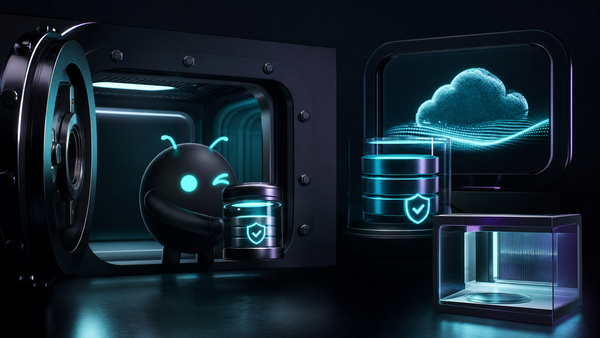
That is also why memory needs boundaries. A shared environment is a bad place for sensitive operational memory. ClawBud's dedicated computer model keeps each customer's agent environment separate, with its own storage and its own firewall rules. You are not renting a corner of someone else's agent runtime.
You get your own OpenClaw workspace.
A wallet makes autonomous work real, and risky
Autonomous agents are moving toward paid actions: buying software credits, paying for data, unlocking API calls, booking services, or using protocols like x402 for machine-to-machine payments.
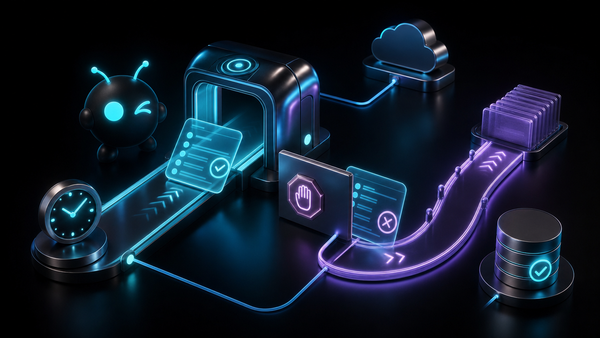
A wallet-ready agent needs spending limits, approval flows, audit trails, and network controls. It also needs isolation. You do not want a payment-capable agent sitting inside a shared container with weak separation and broad network access. That is asking for pain.
This is where ClawBud's per-agent firewall matters. Each OpenClaw agent gets dedicated firewall boundaries, not just a label in a dashboard. The firewall is part of the architecture, not a marketing checkbox.
A wallet without boundaries is dangerous. A wallet inside a dedicated, supervised, firewalled agent environment is a serious building block for autonomous work.
Code agents are not the same as autonomous agents
There is a lot of confusion here, so let's be blunt.
Codex-style tools, coding CLIs, and terminal copilots are excellent for software work. They live close to repositories, shells, tests, and pull requests. If your main job is editing code, that is exactly where they should live.
An autonomous OpenClaw agent has a different job. It is not only there to write code. It is there to operate across the business: messages, browser workflows, files, CRM tasks, calendars, documents, research, support, and internal systems.
A code agent asks, "What should I change in this repo?"
An autonomous agent asks, "What outcome should I complete, and which tools do I need to use to get there?"
ClawBud is built for the second category.
Why the full computer model wins
They work when the agent is doing a narrow task with limited state. They start breaking down when the agent needs a persistent browser, long-running memory, file access, channel integrations, and strict network rules.
A full computer gives the agent room to operate. It can keep its browser profile, maintain tools, store context, and run like a real worker instead of a temporary process that disappears when the job ends.
That is the logic behind ClawBud's one-click setup. You should not need to become a server admin just to run OpenClaw properly. ClawBud handles the managed setup and gives you your own dedicated computer for the agent army, with OpenClaw installed and ready to use.
You get the control benefits of self-hosting without spending your weekend in terminal hell.
Where ClawBud fits
ClawBud is for teams that want an OpenClaw agent they can actually use in production, not just demo on a quiet afternoon.
The setup is simple: choose a plan, deploy in one click, connect your channels, and start building your agent workflow. BYOK works for people who want to bring their own model keys. Starter and Pro are better for teams that want the managed experience without babysitting infrastructure.
The deeper value is architectural: your own cloud-native agent army, running on a full computer with browser access, memory, integrations, and a dedicated firewall per agent.
Start with one real workflow
Do not begin with a fantasy of 100 agents running the company by Friday.
Start with one workflow that is annoying, frequent, and easy to verify. Lead triage. Inbox cleanup. Support summaries. Calendar prep. Competitor research. Browser-based reporting. Give the agent a clear boundary, watch it work, improve the instructions, then expand.
If you want a private OpenClaw setup without managing the boring parts yourself, start with ClawBud. One click, your own dedicated computer, dedicated firewall, and a real path from chatbot to agent army.
FAQs
What is an OpenClaw agent?
An OpenClaw agent is an autonomous AI worker built on the OpenClaw framework. It can use tools, remember context, connect to channels, and execute tasks instead of only answering questions in chat.
Why does an agent need its own browser?
A browser lets the agent work inside the same web apps your team already uses. Many business workflows still live behind dashboards and portals, so browser access gives the agent a practical way to complete real tasks.
Is ClawBud just for developers?
No. Developers can use it, but ClawBud is built for personal users, businesses, and enterprise teams that want managed OpenClaw execution without setting everything up manually.
How is ClawBud different from a coding CLI?
A coding CLI is mainly built for repository and terminal work. ClawBud runs an autonomous OpenClaw agent for broader operations, including browser workflows, messaging channels, memory, files, and business tasks.
Why does the dedicated firewall matter?
A dedicated firewall gives each agent real network boundaries. That matters when agents can browse, store memory, call tools, connect integrations, or eventually handle wallet-based actions.
Can I start without technical setup?
Yes. ClawBud is designed for one-click setup, so you can get a managed OpenClaw agent running without terminal knowledge or server setup.