Why a Full Computer Beats a Shared AI Container for OpenClaw Agents
Most teams do not actually want a chatbot.
They want work to happen.
That difference sounds small until you put an agent in production. A chatbot can answer a question. An autonomous agent has to open tools, use a browser, remember context, connect to channels, handle files, recover from messy state, and stay inside clear boundaries while doing it.
That is why ClawBud is built around a simple opinion: your OpenClaw agent should not live like a temporary tab in someone else's shared container. It should have its own full computer.
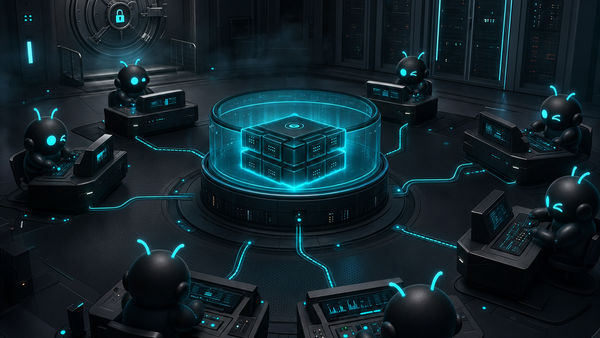
Not a chatbot. Not a shared container. A full computer, a real army of agents, and a per-agent firewall, all yours, deployed in one click.
That is the shift ClawBud is making practical.
A shared AI container is fine until the work gets real
Shared containers are attractive because they are cheap and quick. For a demo, they make sense. You click a button, get a runtime, run a prompt, and see something impressive.
Then real work arrives.
Real work is not clean. It needs logins, browser sessions, persistent files, tool credentials, channel history, retries, uploads, downloads, and a place where the agent can keep operating without starting from zero every time.
A shared container is usually designed for short sessions and controlled workloads. The moment your OpenClaw agent has to manage a support inbox, inspect a website, run code, or coordinate between tools, the container model starts to feel cramped.
The question is no longer: can the agent answer?
The question is: does the agent have a proper workplace?
A full computer gives your agent a real workplace
ClawBud gives every customer a dedicated computer in the cloud for OpenClaw. That matters because autonomy needs an environment, not just a model endpoint.
A full computer gives the agent:
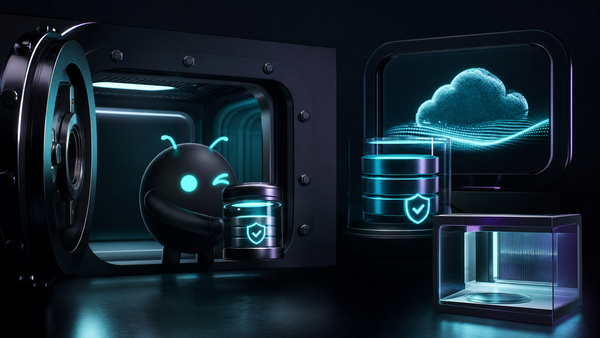
- Persistent storage for files, outputs, and working context
- A dedicated browser for real web tasks
- Room for code agents and command line tools
- Stable service processes instead of throwaway sessions
- A cleaner boundary between your work and everyone else's
- A base for multiple agents to operate as an army, not one overloaded assistant
This is the difference between renting a desk in a noisy coworking room and getting your own locked office with tools already plugged in.
The model still matters. But the operating environment is what turns the model from a smart answer box into something closer to a worker.
OpenClaw needs more than a prompt box
OpenClaw is powerful because it can connect reasoning to tools. That is also why the deployment architecture matters.
If your OpenClaw agent can browse, read files, call integrations, talk to Telegram or WhatsApp, run coding tools, and store memory, then you need to think about where those actions happen. You need isolation, observability, and boundaries that are clear before sensitive tools get connected.
ClawBud wraps OpenClaw in a managed setup so you do not have to become a server admin first. You get one-click setup, a dashboard, browser access, integrations, and a dedicated firewall around the agent environment.
That is not decoration. That is the product.
Code agents are not the same thing as autonomous agents
This part gets confused a lot.
Code agents and CLIs like Claude Code, Codex, Gemini CLI, OpenCode, Goose, and similar tools are excellent at development work. They can inspect a repo, edit files, run tests, explain errors, and help ship software faster.
Autonomous agents are different. They can sit across business workflows: customer support, operations, research, reporting, browser tasks, lead handling, content systems, and recurring work that needs memory and context.
In ClawBud, both categories can live inside the same broader OpenClaw environment. Your code agents handle technical execution. Your autonomous agents handle operational work. The shared point is not that every agent writes code. The shared point is that every agent needs a serious place to run.
A shared container treats these tools like temporary processes.
A full computer treats them like a team.
The dedicated firewall is the boundary layer
Autonomy without boundaries is just chaos with better branding.
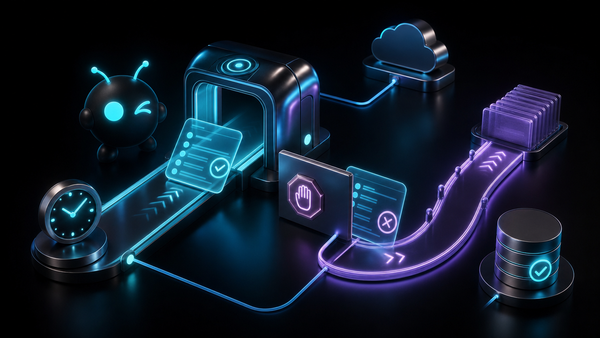
ClawBud's dedicated firewall is there because agents should not all share the same open shape. Each OpenClaw environment needs clear network rules, isolated access, and a safer default posture.
This becomes more important as agents gain more power. Browsers, memory, integrations, wallets, and paid actions are useful. Useful tools need limits.
A dedicated firewall gives the agent army a real perimeter. It helps separate your agent environment from the rest of the internet and from other customers. It also makes the ownership story cleaner: your computer, your agents, your rules.
That is hard to fake in a generic shared container.
Why one-click setup matters
The honest version: most people who need autonomous agents do not want to spend their day configuring infrastructure.
They want the result.
ClawBud's one-click setup exists for that reason. You choose a plan, connect what you need, and get a managed OpenClaw agent environment without touching terminal setup, firewall configuration, browser installation, or service wiring.
That means the complexity is handled for you.
A serious agent platform should feel boring at setup and powerful after setup. That is the standard.
Who should care about the full computer model?
This architecture is especially useful if you want your agent to do more than answer questions.
It fits teams that need:
- A private OpenClaw workspace for ongoing business operations
- A browser-based agent that can work with real web tools
- Code agents and autonomous agents in one managed environment
- Clear separation from shared infrastructure
- A dedicated firewall around agent activity
- Fast launch without hiring someone to wire the stack manually
If all you need is basic Q&A, a shared runtime may be enough.
If you want an agent army that can actually operate, give it a full computer.
Where ClawBud fits
ClawBud is for people who want OpenClaw without the infrastructure headache.
You can start from the ClawBud homepage, compare plans on ClawBud pricing, or read more on the ClawBud blog.
The core promise is intentionally direct: your own cloud-native agent army, powered by OpenClaw, running on a dedicated computer, protected by a dedicated firewall, and deployed in one click.
That is a better foundation than a shared container.
FAQs
Is ClawBud a chatbot?
No. ClawBud is not positioned as another chatbot. It is a managed OpenClaw environment for autonomous agents, code agents, browser work, integrations, and ongoing operations.
Why does an OpenClaw agent need a full computer?
Because real work needs persistence, browser access, files, memory, tools, and stable processes. A full computer gives the agent a proper workplace instead of a temporary sandbox.
What is the difference between code agents and autonomous agents?
Code agents and CLIs focus on software tasks like editing files, running tests, and working inside repos. Autonomous agents handle broader operational workflows across tools, channels, browsers, and business processes.
Why does the dedicated firewall matter?
The dedicated firewall gives each agent environment a clearer network boundary. That matters when agents connect to browsers, files, integrations, channels, and other sensitive work surfaces.
Do I need terminal knowledge to use ClawBud?
No. ClawBud is designed around one-click setup. The point is to get a managed OpenClaw agent army without manually configuring the underlying infrastructure.
Which ClawBud plan should I start with?
If you already have your own model keys, start with BYOK. If you want AI included, Starter is the clean entry point. Pro and Business make more sense when you need more power, more channels, more credits, or a bigger agent workspace.
Start with your own agent army
Shared containers are fine for experiments. They are not the foundation I would pick for real autonomous work.
If you want an OpenClaw agent that can browse, remember, run tools, connect to channels, and operate with real boundaries, start with a full computer.
Start with ClawBud at clawbud.ai.