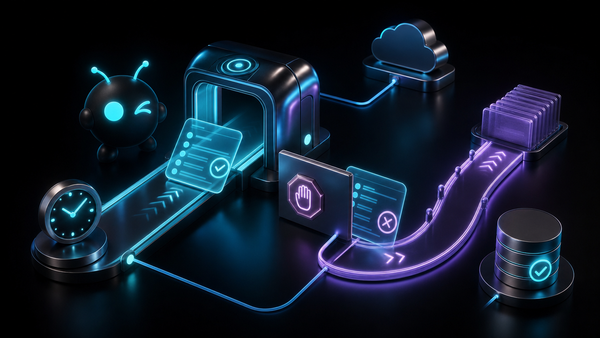
Codex one-click install: run OpenAI Codex inside your ClawBud OpenClaw agent army

SEO title: Codex one-click install for OpenClaw agents in ClawBud
Meta description: Learn how ClawBud connects OpenAI Codex to your dedicated OpenClaw agent army, what it is for, how it differs from autonomous agents, and where it fits in real business workflows.
Slug: codex-one-click-install-openclaw-clawbud
Table of contents
- What Codex one-click install means in ClawBud
- The short version
- Why Codex belongs inside an OpenClaw agent army
- Code agent or autonomous agent?
- How the install and auth flow works
- Who this feature is for
- Tier and access notes
- Practical use cases
- Risks, boundaries, and sane operating rules
- How to start with ClawBud
- FAQs
What Codex one-click install means in ClawBud
ClawBud gives every customer their own cloud-native agent army: a full dedicated computer, OpenClaw-powered agents, real browser access, and a per-agent firewall, deployed in one click.
Codex one-click install adds a specialized code agent to that army. It connects OpenAI Codex through the official Codex CLI path, then lets your ClawBud environment use ChatGPT/Codex subscription models from inside OpenClaw.
That sentence matters because Codex is not the same thing as a normal chat model. It is a coding tool with its own runtime behavior, login flow, model discovery, and project workflow. ClawBud wraps that messy setup into a managed experience so you can use Codex without turning your afternoon into package installs, auth callbacks, config edits, and service restarts.
The point is simple: if you already pay for ChatGPT Plus or Pro and want a serious code agent living inside your private OpenClaw stack, ClawBud gives it a proper home.
Not shared hosting. Not a thin chatbot panel. Your own dedicated computer, your own OpenClaw agent environment, and your own code-capable worker.
The short version
Codex one-click install is for teams and builders who want Codex available inside ClawBud without hand-building the integration.
With it, ClawBud can:
- install the Codex CLI on the customer dedicated computer
- connect the user's ChatGPT/Codex subscription through a device-code login flow
- expose Codex subscription models inside the OpenClaw model picker
- route Codex work through OpenClaw instead of a disconnected local terminal
- keep the setup separate from ClawBud credit billing where the user's subscription is the upstream provider
- preserve ClawBud's larger safety model: dedicated computer, OpenClaw orchestration, and per-agent firewall boundaries
For the user, the experience should feel boring in the best way. Click connect, sign in to ChatGPT, confirm the code, wait for the connected state, then choose a Codex model when you need code work.
Under the hood, it is much less boring. That is exactly why it belongs in ClawBud.
Why Codex belongs inside an OpenClaw agent army
A standalone coding CLI is useful. A coding CLI inside a managed OpenClaw agent army is more useful.
On its own, Codex can help write, explain, refactor, and reason about code. Inside ClawBud, it becomes part of a larger operating system for agents. Your OpenClaw environment can include browser work, memory, channel integrations, other coding tools, autonomous workers, and business workflows around the same dedicated computer.
That changes the job from "ask a coding model a question" to "give a code-capable worker a real place to operate."
A few examples:
- A founder can ask Codex to inspect a repo, explain what broke, and draft a fix while the main OpenClaw agent keeps project context in memory.
- A product lead can use Codex for technical planning, then hand the result to another autonomous agent for docs, release notes, or customer messaging.
- A developer can use Codex for focused implementation work while ClawBud keeps the environment private and separate from everyone else's workloads.
The big difference is containment. ClawBud is built around the idea that serious agents should not live in a shared toy sandbox. Each customer gets a full dedicated computer. Each agent can sit behind a dedicated firewall. OpenClaw is the control layer that lets those agents become an actual army instead of a pile of disconnected tools.
Codex fits into that model as the specialist for code.
Code agent or autonomous agent?
This is the distinction most marketing pages blur, so let's be blunt.
Codex is a code agent/CLI. It is best at software work: reading code, proposing edits, debugging, explaining architecture, generating patches, and helping with development tasks.
OpenClaw autonomous agents are broader operators. They can use tools, maintain memory, work across channels, call browsers, run workflows, and act as long-running digital workers depending on how you configure them.
Both matter, but they are not the same.
Think of Codex as the engineer in the army. It should not be sold as a general-purpose business employee. It shines when the mission involves code, scripts, technical docs, API behavior, repo structure, migrations, or developer workflows.
Think of an autonomous OpenClaw agent as the operator. It can coordinate work, remember context, talk to the user through Telegram or Discord, browse when needed, and connect tasks across systems.
ClawBud's advantage is that both can live in the same private environment. You do not need to choose between a coding CLI and an autonomous agent platform. You can run OpenClaw as the agent layer and bring Codex in as a specialist where code work is needed.
That is how an agent army should feel: different workers with different jobs, all on your own dedicated computer.
How the install and auth flow works
The public experience is intentionally simple.
- Open your ClawBud dashboard.
- Go to the connected subscription or model setup area.
- Choose the ChatGPT/Codex connection.
- ClawBud starts the Codex auth flow.
- You open the ChatGPT sign-in page and confirm the displayed code.
- ClawBud verifies the connection, updates the OpenClaw model list, and makes the Codex models available.
The actual architecture has a few moving parts.
ClawBud installs the official OpenAI Codex CLI path on the customer's dedicated computer. The login uses a device-code style flow, which is much better for a cloud environment than pretending a browser is sitting on the same machine. Once the user approves the login, the Codex credentials live in the Codex CLI's own auth location on that dedicated computer.
OpenClaw then sees the Codex-capable models and can route requests through that provider path. In tested flows, ChatGPT subscription models are treated as user-paid upstream usage, so the point is not to burn ClawBud credits for work the user's own subscription already covers.
There is also an important reliability lesson baked into this feature. Older reverse-engineered Codex OAuth paths became fragile when OpenAI changed scopes and client expectations. The better long-term path is to use OpenAI's own Codex CLI behavior and let ClawBud manage the boring glue around it.
That is the kind of product detail users should never need to debug themselves.
Who this feature is for
Codex one-click install is especially useful for:
- founders who ship product but do not want to maintain local agent tooling
- solo builders who already use ChatGPT and want Codex inside a private OpenClaw workspace
- agencies that need technical assistance across client projects without mixing environments
- teams that want a code-capable worker connected to a larger agent setup
- technical operators who want Codex available from the same place they run browser, memory, and channel workflows
It is less useful if you never touch software, automations, integrations, data exports, scripts, or technical systems. In that case, a general autonomous OpenClaw agent, browser, memory, and channel setup may matter more than Codex.
But most businesses eventually hit code-adjacent work. Someone needs to fix a webhook. Someone needs to understand an API response. Someone needs to modify a landing page, clean a data file, audit a script, or explain why an integration failed.
That is where a code agent earns its seat in the army.
Tier and access notes
ClawBud's current pricing structure includes BYOK, Starter, Pro, and Business style plans, with the exact plan surfaces depending on what is live in your dashboard at the time you sign up.
Codex and ChatGPT subscription connection is designed around the user's own ChatGPT/Codex subscription. That means it is different from normal ClawBud-managed model usage. Instead of treating it like a standard API-key or credit-metered model, ClawBud can connect the user's subscription and expose those models where the feature is enabled.
The dedicated computer, OpenClaw environment, firewall model, available agent surfaces, and compute level still depend on your ClawBud plan. Some premium autonomous agents and heavier tools may be Pro+ surfaces, while Codex subscription connection is its own provider-auth path.
The safe rule: check your dashboard. If the ChatGPT/Codex connection tile appears for your account, use that as the live source of truth. If it does not appear, ask ClawBud support before assuming your plan includes it.
Practical use cases
1. Debugging a broken integration
A business workflow stops working after an API change. The error message is vague. The person responsible is not sure whether the problem is auth, payload shape, rate limits, or an old endpoint.
Codex can inspect the code, explain the likely failure path, and suggest a fix. The OpenClaw agent around it can keep the business context: which integration matters, what changed recently, which customer flow is affected, and what should be communicated after the fix.
That pairing is stronger than using a coding assistant in isolation.
2. Turning rough ideas into working scripts
Many operational problems do not need a full app. They need a small script that does one thing well: clean a CSV, call an API, rename files, summarize logs, generate reports, or move data between systems.
Codex is good at that kind of work. In ClawBud, the result can sit inside a broader OpenClaw workflow instead of becoming another forgotten file on someone's laptop.
The dedicated computer also gives the script a stable place to run when appropriate, with ClawBud's firewall model keeping boundaries clearer than a random shared environment.
3. Technical planning before hiring or outsourcing
A non-technical founder often knows what needs to happen but not how to brief a developer. Codex can help translate the idea into a technical plan: files involved, likely endpoints, data model changes, testing notes, and risk areas.
Then the autonomous OpenClaw agent can turn that into a cleaner task brief, customer-facing explanation, or internal checklist.
This does not replace a good engineer. It gives the engineer a better starting point and helps the founder stop sending mystery requests like "make the dashboard smarter."
Risks, boundaries, and sane operating rules
Codex is powerful, but code agents need adult supervision.
First, do not treat generated code as automatically safe. Review changes before they touch production. Run tests when possible. Keep backups. If a task involves payments, customer data, auth, infrastructure, or security rules, slow down.
Second, remember that Codex is a specialist. It can reason about code, but it does not magically understand your entire business unless the relevant context is available. Use OpenClaw memory, docs, and clear instructions to give it enough ground truth.
Third, watch access. A code agent can make real changes if you give it tools and permissions. ClawBud's per-agent firewall model helps, but permissions still matter. Give agents the minimum access they need for the job.
Fourth, separate experiments from production. Use branches, staging projects, temporary folders, and explicit approval steps. The faster an agent can work, the more important boundaries become.
Finally, do not confuse subscription auth with unlimited outcomes. Your ChatGPT/Codex plan, OpenAI limits, model availability, and upstream behavior can still affect results. ClawBud makes the setup easier. It does not control OpenAI's account rules.
That is the honest version. Codex one-click install is a serious upgrade, but it works best when treated like a capable junior engineer with a very fast keyboard.
How to start with ClawBud
If you want Codex inside a private OpenClaw-powered agent army, start with ClawBud.
You get your own dedicated computer, real OpenClaw agents, a per-agent firewall, browser capability, memory, integrations, and one-click setup instead of a weekend of tool wiring.
Then add Codex when your agent army needs a coding specialist.
Start here: clawbud.ai
FAQs
Is Codex one-click install the same as OpenClaw?
No. OpenClaw is the agent platform layer. Codex is a code-focused CLI and model path. ClawBud brings Codex into the OpenClaw environment as a specialist for software work.
Is ClawBud just a chatbot with Codex added?
No. ClawBud gives each customer a full dedicated computer, OpenClaw-powered agents, real browser access, and per-agent firewall boundaries. Codex is one specialist inside that private agent army.
Do I need a ChatGPT subscription?
For the subscription-based Codex path, yes. The feature is built around connecting your own ChatGPT/Codex subscription where the dashboard supports it.
Does Codex use ClawBud credits?
In the subscription-auth flow, Codex uses the user's own ChatGPT/Codex subscription path rather than normal ClawBud-managed credit usage. Your dashboard is the live source of truth for billing state and available models.
Can Codex browse the web like an autonomous agent?
Codex is primarily for code work. OpenClaw agents can use broader tools such as browser workflows depending on configuration. Use Codex for engineering tasks and autonomous agents for wider operating work.
Can Codex edit my production code automatically?
Only if you give it that level of access, and you should be careful. Keep approval steps around sensitive code, payments, auth, customer data, and infrastructure. Code agents are fast, not infallible.
What makes ClawBud different from shared hosting?
ClawBud is built around a dedicated computer per customer, not a shared hosting pool. That gives your OpenClaw agent army a private operating environment with clearer boundaries.
Why mention the per-agent firewall?
Because autonomous agents need boundaries. A per-agent firewall helps separate what each agent can reach, which matters more as agents become more capable and more connected.
Can Codex work alongside Claude Code, Gemini CLI, or OpenCode?
Yes. Those are code agents and CLIs with different strengths. OpenClaw autonomous agents are the broader operators around them. ClawBud's job is to make the army manageable instead of forcing you to wire every tool by hand.
Who should try this first?
Builders, founders, agencies, and technical teams that already rely on ChatGPT for coding work. If you want that capability inside a private OpenClaw setup, Codex one-click install is the clean path.