Telegram, WhatsApp, Discord, and Slack by Tier: How ClawBud Routes Your OpenClaw Agent Army Into Real Work
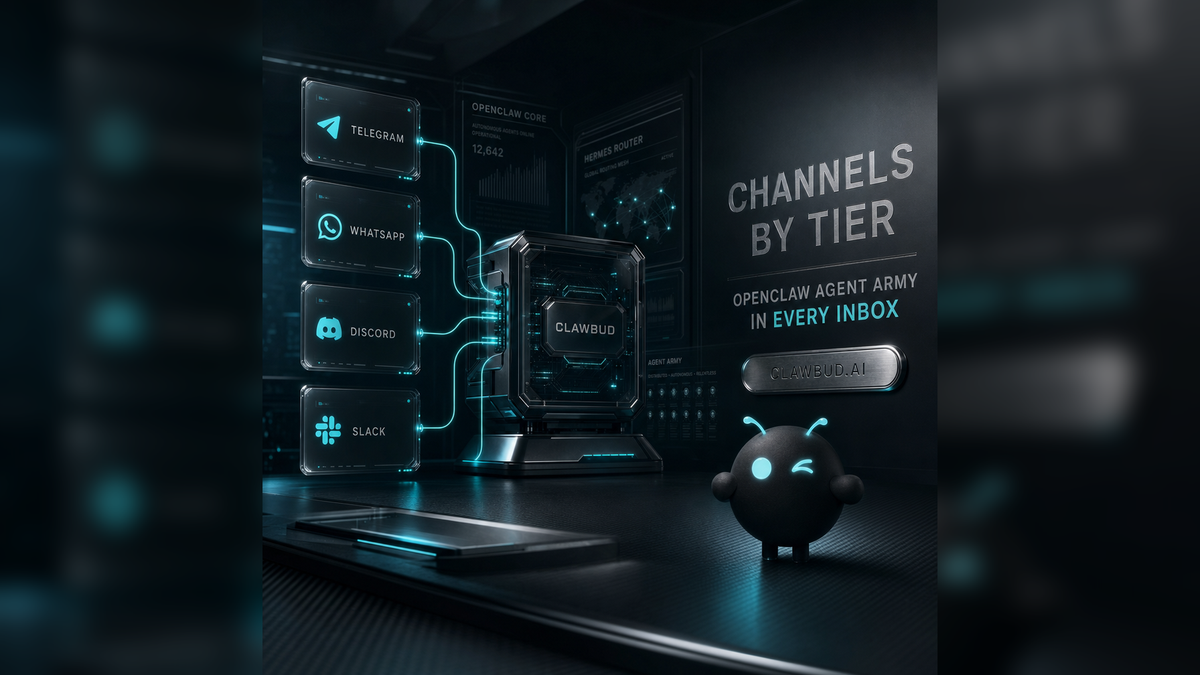
Table of Contents
- Why channels matter in an agent army
- What ClawBud channels actually do
- The tier map
- Telegram: the starting point
- WhatsApp: where business work gets serious
- Discord and Slack: team operations
- How channels fit into the ClawBud Agentic OS
- Risks, boundaries, and setup rules
- Three practical use cases
- FAQs
Why channels matter in an agent army
Most AI products still treat messaging like a skin on top of a model. You open a window, type a prompt, get an answer, and leave. That is fine for casual use, but it is a weak foundation for autonomous work.
ClawBud starts from a different assumption: if you want an agent army to run parts of a business, it needs to live where work already happens.
For many teams, that means Telegram for fast founder commands, WhatsApp for customer conversations, Discord for community and support operations, and Slack for internal work. A serious agent system should not force every task into one dashboard tab. It should meet the operator, the team, and the customer in the right channel.
That is why channels are not a small add-on in ClawBud. They are part of the operating layer.
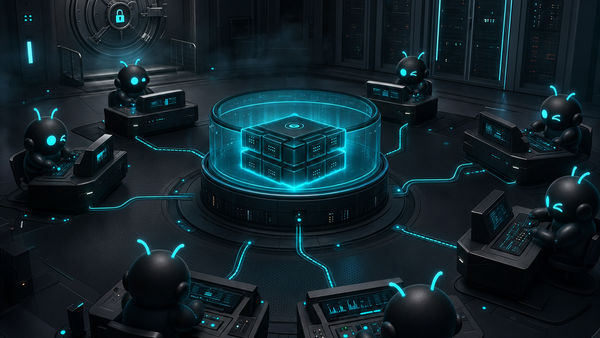
ClawBud is your own cloud-native agent army. It gives each customer a full dedicated computer, a real OpenClaw-powered agent army, and per-agent firewall boundaries, deployed in one click. It is not a chatbot. It is not shared hosting. It is the Agentic OS for your AI agent army, with OpenClaw as a core runtime and Hermes as a core orchestration pillar.
Channels are how that army gets a front door.
What ClawBud channels actually do
A channel is a controlled communication path between a human workspace and your ClawBud agent army.
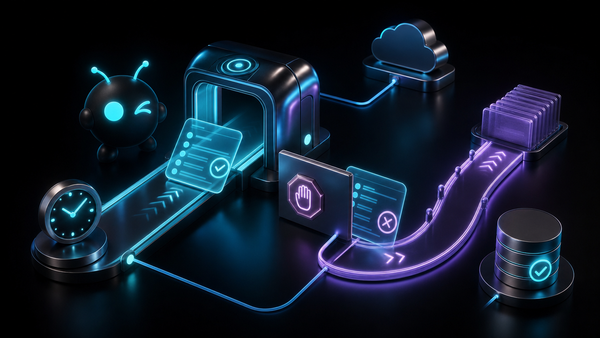
When you connect a channel, you are not only adding another place to chat. You are creating a way for your OpenClaw-powered agents to receive instructions, respond to events, ask for approval, summarize activity, and route work into the right part of the fleet.
Depending on the plan and setup, a channel can be used for:
- Direct commands to your OpenClaw agent.
- Customer support conversations.
- Internal team requests.
- Alerts when an agent needs approval.
- Updates from scheduled routines.
- Handoffs between Hermes, OpenClaw, code agents, and business workflows.
- Operational visibility without forcing everyone into the dashboard.
The important part is the architecture. ClawBud gives you a full dedicated computer in the cloud, not shared containers. Your agent army runs in its own environment, with real browser access, tools, memory layers where enabled, Business Room, CRM surfaces where enabled, and per-agent firewall boundaries. Channels connect to that environment through managed setup paths, so the agent can work from inside a real operating layer instead of pretending to be autonomous from a single text box.
That difference matters.
A normal code agent or CLI is usually built for developer tasks. Claude Code, Codex, Gemini CLI, and OpenCode are powerful, but they are code agents. They help with engineering work, repo work, terminal tasks, and software workflows.
Autonomous agents are broader. OpenClaw, Hermes, Space Agent, Automaton, NemoClaw, Goose, and DeerFlow 2.0 are meant to operate across tools, channels, browser sessions, workflows, files, and longer business missions. ClawBud brings both groups into one agent army. Channels let humans reach that army without caring which runtime is doing the work behind the scenes.
The tier map
Current ClawBud channel access is easiest to understand in layers.
Current channel access by plan:
- BYOK: Telegram. For operators who bring model keys and want a private OpenClaw command path.
- Starter: Telegram. For solo founders and small teams that want managed model access.
- Pro: Telegram, WhatsApp, and Discord. For businesses that need customer or community channels, stronger model access, and Pro agents.
- Business: All channels plus priority support. For teams that need the full channel surface and more dedicated computer resources.
A few details matter here.
BYOK is for users who want to bring their own model API keys. It still gives them a dedicated computer, OpenClaw runtime, and Telegram access, but model billing is handled by their own keys.
Starter includes the server, agent, and AI access, with Telegram as the main channel. It is the cleanest entry point for someone who wants the managed experience without wiring a wider customer operation yet.
Pro is where multi-channel work becomes practical for most businesses. Telegram is still there, but WhatsApp and Discord open the door to customer support, community operations, and team-facing workflows.
Business is the plan for full-channel operations. It includes all channels and priority support, with a larger dedicated computer and higher monthly credits.
Telegram: the starting point
Telegram is the cleanest first channel because it is fast, simple, and operator-friendly.
For founders, builders, and power users, Telegram often becomes the command line for the business. You can send a task, ask for a summary, check what happened, or route something into OpenClaw without opening a browser. It is also a strong approval channel because the conversation stays close to the operator.
In ClawBud, Telegram is available from BYOK and Starter upward. That makes it the natural first channel for most users.
Use Telegram when you want:
- A private command path to your OpenClaw agent.
- Quick founder or operator instructions.
- Short updates from scheduled work.
- A simple approval loop for sensitive actions.
- A low-friction way to start using ClawBud before adding customer channels.
Telegram is especially useful for internal operations. Ask the agent to check a file, summarize CRM notes, prepare a reply, inspect a workflow, or draft the next action. If the task needs a coding agent, ClawBud can route it toward Claude Code, Codex, Gemini CLI, or OpenCode. If it needs autonomous execution, OpenClaw or Hermes can take over.
Telegram is the front door. It is not the agent itself.
WhatsApp: where business work gets serious
WhatsApp is where a lot of real business communication already lives, especially for service businesses, agencies, local operators, and international teams with mobile-first customers.
That makes WhatsApp powerful, but also sensitive. If an agent can answer customers, it needs strong boundaries, clear ownership, and careful rollout. ClawBud treats WhatsApp as a serious business channel, not a toy demo.
On Pro and Business plans, WhatsApp can become part of the agent army surface. The most common pattern is to use WhatsApp for customer workflows while keeping Telegram for owner control.
Use WhatsApp when you want:
- Customer intake and first-response workflows.
- Appointment questions and service updates.
- Simple lead qualification.
- Follow-up messages that still need human approval.
- A familiar mobile channel for customers who will never log into a dashboard.
The right way to use WhatsApp is not to let an agent improvise forever. Start with a narrow role. Give it approved answers, escalation rules, and a clear boundary for when to hand the conversation to a human.
For example, a clinic might let the agent answer opening hours, explain how to book, collect basic intake information, and prepare a summary for the office manager. It should not make medical decisions. A real estate office might let the agent collect buyer preferences, send viewing options, and update the CRM. It should not promise pricing terms without approval.
The channel is only one piece. The operating layer behind it is the point.
Discord and Slack: team operations
WhatsApp is often customer-facing. Discord can be community-facing or team-facing. Slack is usually internal. The agent behavior should change accordingly.
Discord is useful for communities, beta groups, support channels, and technical audiences. A ClawBud agent can answer repeat questions, summarize channel activity, collect bugs, route feature requests, and prepare staff responses. For developer communities, Discord also pairs naturally with code agents.
Slack is useful for internal business operations. It can become a control surface for task requests, CRM summaries, status updates, approval flows, and team coordination. Business users do not need to know whether Hermes, OpenClaw, Space Agent, or a code CLI will handle the task.
Use Discord or Slack when you want:
- Team-facing agent requests.
- Community support summaries.
- Bug triage and product feedback routing.
- Internal status reports.
- Approval workflows tied to business operations.
- A shared place where humans can see agent activity.
This is where ClawBud starts to feel less like a tool and more like an operating system. The channel becomes the human layer. The agent army becomes the execution layer.
How channels fit into the ClawBud Agentic OS
ClawBud positioning is simple: your own cloud-native agent army.
That phrase matters because it keeps the product honest. ClawBud is not selling a single assistant. It is giving the customer an Agentic OS with multiple kinds of agents and tools inside a full dedicated computer.
A typical agent army can include:
- OpenClaw as the core autonomous runtime.
- Hermes as the orchestrator for multi-agent work.
- Space Agent for visual and workspace-style execution.
- Claude Code, Codex, Gemini CLI, and OpenCode for engineering workflows.
- NemoClaw, Goose, and DeerFlow 2.0 where plan-gated.
- Business Room and CRM surfaces where enabled.
- Real browser access for web work.
- Skills, MCP, integrations, and memory layers where enabled.
- Agent Wallet and x402 where gated.
- Per-agent firewall boundaries for safer multi-agent operations.
Channels are the access layer. They let the right human reach the right part of the army.
For example, a founder might use Telegram to issue a private strategic command. A support team might use Slack for internal approvals. A customer might ask a question on WhatsApp. A beta community might report bugs in Discord. Behind those entry points, ClawBud can route work toward the right agent type.
This is also why code agents and autonomous agents should not be confused.
A code agent is excellent at code. It can inspect files, propose changes, write scripts, and handle repo tasks. An autonomous agent is broader. It can manage workflows, read context, operate across tools, use browser access, coordinate with other agents, and return to the user through a channel. ClawBud puts both into the same operating layer so the user does not have to choose between them too early.
Risks, boundaries, and setup rules
Channels are powerful because they bring agents closer to live work. That also means they need discipline.
Here are the rules I would use before connecting any channel to real operations.
First, separate control channels from customer channels. Telegram is usually best as an owner or operator path. WhatsApp is often customer-facing. Slack and Discord may be shared team spaces. Do not give every channel the same permissions.
Second, start narrow. A new WhatsApp agent should not answer every possible customer question on day one. Give it a specific job, clear allowed actions, and a list of topics that require human approval.
Third, keep risky work behind approval. Payments, deletions, customer promises, legal claims, medical advice, financial advice, and account changes should not run fully unattended.
Fourth, use the tier structure honestly. If your business depends on WhatsApp, Discord, Slack, and priority support, Business is a better fit than trying to force a lower plan into a wider operation. If you only need a private command path, BYOK or Starter may be enough.
Fifth, remember that channels do not replace your dashboard. The dashboard gives setup, billing, visibility, agent surfaces, and administration. Channels give fast operational access.
Finally, treat ClawBud like infrastructure for work, not a novelty bot. That is why each customer gets a full dedicated computer and per-agent firewall boundaries instead of shared hosting.
Three practical use cases
1. Founder command center
A founder uses Telegram as the main command path.
Every morning, he asks the OpenClaw agent for a short status summary: leads, support issues, CRM notes, and urgent follow-ups. If something needs research, Hermes routes the mission. If something needs code, Codex or Claude Code handles the engineering task. If the agent needs approval, it asks in Telegram before acting.
Best fit: BYOK, Starter, Pro, or Business depending on model needs and channel needs.
2. WhatsApp customer intake
A service business uses WhatsApp for first response.
The agent answers basic questions, collects name, need, location, and urgency, then writes the structured lead into the business workflow. For sensitive requests, it escalates to a human. The owner still uses Telegram as the private control channel.
Best fit: Pro or Business.
3. Product community operations
A software company runs a Discord community and an internal Slack workspace.
The ClawBud agent summarizes daily Discord issues, turns repeat questions into suggested docs, triages bug reports, and posts internal summaries to Slack. Engineering tasks can be handed to code agents, while customer-facing replies stay approval-based.
Best fit: Pro for Discord-heavy work, Business when full channel coverage and priority support matter.
FAQs
Which ClawBud plan includes Telegram?
Telegram is the starting channel for BYOK and Starter, and it continues upward into Pro and Business. It is the cleanest private command path for most operators.
Which plan should I choose if I need WhatsApp?
Choose Pro or Business. WhatsApp is best treated as a serious business channel with clear boundaries, not a casual experiment.
Does ClawBud support Slack?
Business is the right fit when you need the full channel surface, including team operations and priority support. Slack is best used for internal workflows, approvals, and summaries.
Is Discord for customer support or communities?
Both. Discord is useful for beta groups, technical communities, product feedback, support triage, and developer-facing workflows.
Is ClawBud just a chatbot connected to many apps?
No. ClawBud is the Agentic OS for your AI agent army. Channels are only the access layer. The work happens inside a real OpenClaw-powered environment on a full dedicated computer.
How is this different from a code agent CLI?
A code agent CLI is mainly for engineering work. ClawBud includes code agents such as Claude Code, Codex, Gemini CLI, and OpenCode, but it also includes autonomous agents such as OpenClaw, Hermes, Space Agent, and plan-gated agents for broader business operations.
Can I use different channels for different roles?
Yes, that is the best way to think about it. Telegram can be the owner channel, WhatsApp can be customer intake, Discord can be community support, and Slack can be internal coordination.
Are channel actions fully autonomous?
They can be automated, but sensitive actions should stay approval-based. The safest setup gives agents narrow permissions, clear escalation rules, and human approval for risky work.
Does every customer get a dedicated computer?
Yes. ClawBud gives each customer a full dedicated computer in the cloud, not shared hosting. That is one of the main reasons the platform can support a real OpenClaw-powered agent army.
Start with ClawBud
If you want an AI system that lives where work actually happens, start with ClawBud.
You get your own cloud-native agent army, powered by OpenClaw, running on a full dedicated computer with per-agent firewall boundaries, real browser access, and managed setup in one click.
Start here: clawbud.ai