Agent Wallet and x402: How ClawBud Gives OpenClaw Agents Controlled Spending Power
SEO Title: Agent Wallet and x402 for OpenClaw Agents in ClawBud
Slug: agent-wallet-x402-openclaw-agents-clawbud
Table of Contents
- What Agent Wallet means in ClawBud
- Why x402 matters for autonomous agents
- Where this fits in your cloud-native agent army
- Who this feature is for
- Tier fit and rollout expectations
- How Agent Wallet should work in practice
- Code agents, CLIs, and autonomous agents are different
- Risks, boundaries, and spending policy
- Three practical use cases
- Implementation checklist
- FAQs
What Agent Wallet means in ClawBud
Agent Wallet is the layer that lets an OpenClaw agent handle small, controlled payments without turning the entire business into a crypto experiment.
ClawBud is built around a different idea from shared agent tools. You get your own cloud-native agent army on a dedicated computer. Each customer has a full computer, not a shared hosting box. That gives your OpenClaw agents room to work with real tools: browser, memory, files, channels, code agents, and firewalls. Agent Wallet belongs in that same stack. It gives an agent a controlled way to pay for digital services when the job requires it.
Think of it as a company card for software agents, but stricter. A human employee might buy a data report, pay for a SaaS trial, or unlock an API. An OpenClaw agent should be able to do similar work only when the business has already decided the budget, scope, and rules.
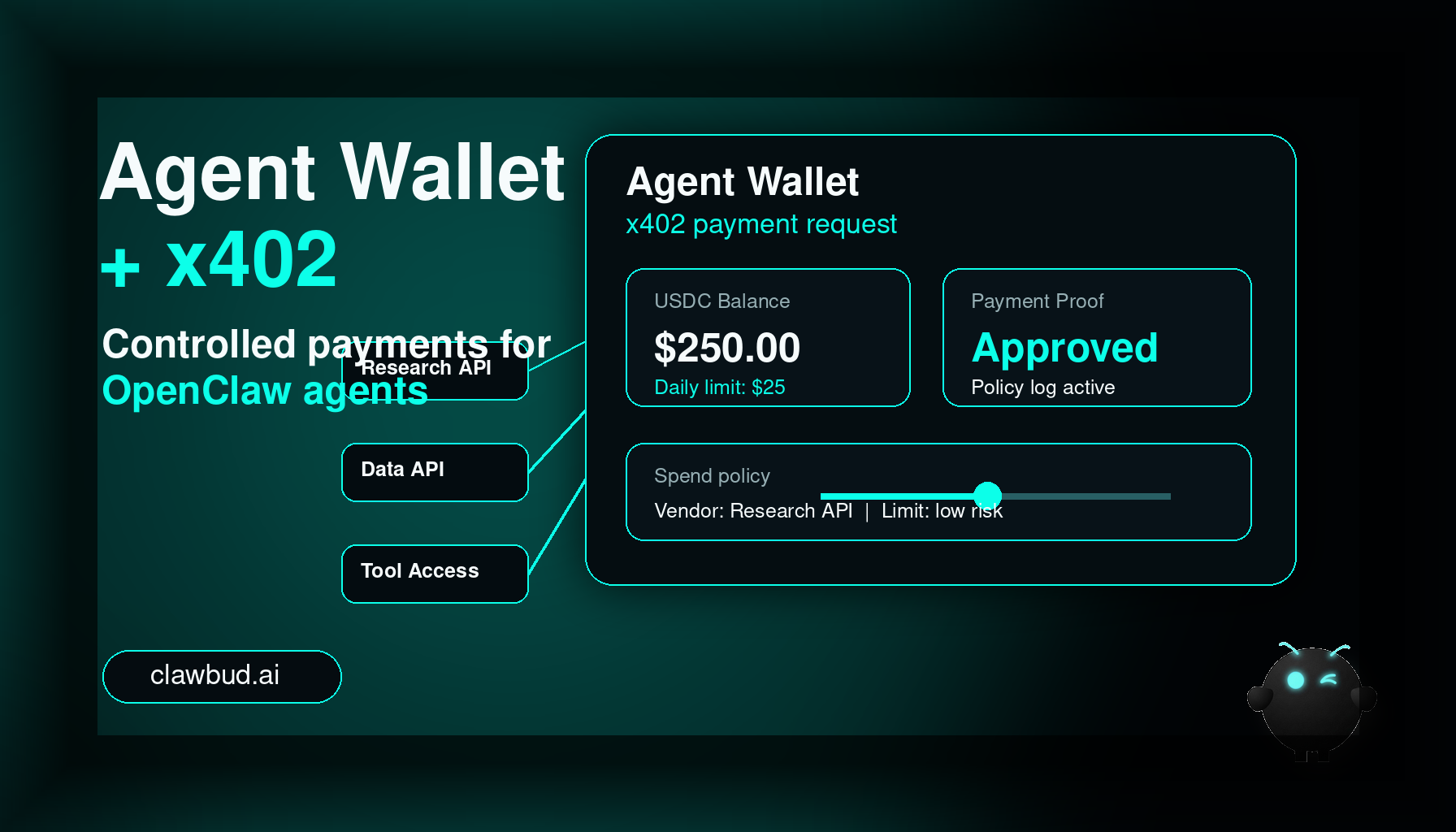
The useful version of Agent Wallet has four parts:
- A wallet or payment account attached to an agent or workspace.
- Spending limits that match the agent's job.
- Approval rules for risky or unusual payments.
- Logs that show what happened, when it happened, and why.
Without those parts, wallet access is just risk dressed up as autonomy.
Why x402 matters for autonomous agents
x402 is an HTTP-native payment pattern built around the old 402 Payment Required status code. The simple version is this: software asks for a paid resource, the server replies with payment instructions, the software pays, then it retries the request with proof of payment.
Today, many paid APIs are still built for humans. Sign up, add a card, create a billing account, buy credits, copy an API key, paste it into another product. That works for people. It is clumsy for agents.
With x402, a paid endpoint can tell the agent exactly what it costs. The agent can check its policy, decide whether the price is allowed, pay through a wallet or facilitator, then continue the task. No human has to be in the loop for every tiny payment, but the human still defines the rules.
For a ClawBud customer, that opens a clean path for agent work like paid research, data access, tool usage, and small machine-to-machine transactions.
The important phrase is controlled autonomy.
An OpenClaw agent with x402 support should be able to answer questions like:
- Is this payment allowed for my role?
- Is the price under my per-task limit?
- Is the vendor approved?
- Is the payment method enabled for this agent?
- Do I need human approval before continuing?
That is where ClawBud's full computer model matters. The agent is not trapped inside a thin chatbot window. It can run as part of a real OpenClaw-powered agent army with memory, browser access, skills, channel integrations, and per-agent firewall boundaries.
Where this fits in your cloud-native agent army
ClawBud positioning is simple: your own cloud-native agent army.
Not a chatbot. Not shared hosting. Not a rented prompt box with a nice dashboard.
Each customer gets a dedicated computer for their OpenClaw-powered agent army. That can include an OpenClaw agent for operations, code agents like Claude Code or Codex for development tasks, specialized agents like Space Agent, and workflow agents for research, support, monitoring, and content.
Agent Wallet fits into that army as an execution capability. It is not the army itself. It is one permissioned tool that certain agents can use when payment is part of the work.
A research agent might need to unlock a paid data source. A procurement agent might need to buy a one-time report. A developer workflow might need to pay for a metered API call during testing. A support agent might need to purchase a small diagnostic service. These are not huge financial operations. They are tiny work blockers that usually force a human to stop what they are doing and click a billing page.
Agent Wallet removes that friction when the risk is low and the rule is clear.
The agent army model also avoids the bad pattern of one general agent with too many permissions. The better pattern is specialized agents with narrow jobs: a research agent with a tiny data budget, a coding CLI in a test project, a finance review agent with read-only visibility, and a manager agent that requests approval when policy requires it. Different agents, different jobs, different boundaries.
Who this feature is for
Agent Wallet and x402 are most useful for teams that already understand why agents need more than chat.
It is a good fit for:
- Teams that use OpenClaw agents for research and operations.
- Startups that want autonomous agents to use paid APIs without constant manual setup.
- Developers building agentic commerce flows, internal tools, or paid data products.
- Agencies running repeatable research, monitoring, scraping, content, or reporting workflows.
- Companies that want autonomous execution but still need auditability and budget control.
It is not a good fit for everyone.
If your agent only writes drafts, answers internal questions, or summarizes documents, wallet access is probably unnecessary. Do not add payment capability just because it sounds advanced. Add it when payment is a real blocker in the workflow.
The best first use case is small, predictable, low-risk spending. If the payment is high value, legally sensitive, customer-facing, irreversible, or tied to regulated activity, keep a human approval step.
Tier fit and rollout expectations
Exact availability can change by plan and rollout stage, so treat this as a practical fit guide rather than a billing promise.
Agent Wallet belongs naturally in higher-control plans because it needs more than a button. It needs policy, logs, approval rules, and support. For most customers, it makes the most sense in Pro or Business-style deployments where the agent army is doing real work across channels, browser tasks, APIs, and automation.
A BYOK or Starter user may not need wallet access at all. Those tiers are usually about getting a private OpenClaw-powered environment running quickly, connecting basic tools, and learning what the agent can do. Wallet access becomes interesting once the work has a measurable business workflow behind it.
A sensible tier map is simple. BYOK is usually for testing and basic private OpenClaw setup. Starter is better for simple workflows where payments stay manual. Pro is where wallet access starts to make sense for approved tools and low-risk spending. Business is the natural home for team policies, approvals, audit logs, finance review, and advanced controls.
The rule is simple: the more autonomy you give an agent, the more control you need around it.
How Agent Wallet should work in practice
A serious Agent Wallet workflow should feel boring. That is a compliment.
The agent should not surprise anyone. It should not improvise a purchase because a webpage looked convincing. It should follow a policy written in plain language.
A practical setup is straightforward. The owner enables Agent Wallet for one agent, sets daily and per-task limits, defines approved vendors, then lets the OpenClaw agent continue only when the payment request fits policy. If the price, vendor, or category falls outside the rule, the agent asks for approval or stops.
Good wallet design includes per-agent limits, per-task limits, vendor lists, approval thresholds, emergency pause, activity logs, and separation between read-only wallet monitoring and actual spending. The point is not to make agents financially independent. The point is to let them finish useful work without breaking the safety model.
Code agents, CLIs, and autonomous agents are different
This is where many people mix things up.
Claude Code, Codex, Gemini CLI, OpenCode, Goose, and similar tools are code agents or command-line tools. They are excellent at working inside development environments, editing files, running tests, reading errors, and helping ship software. In ClawBud, they can be part of your agent army because the dedicated computer gives them a real place to run.
An autonomous OpenClaw agent is different. It can coordinate longer-running work, use browser tools, respond through channels, remember context, call skills, route tasks, and operate as part of a broader workflow.
Agent Wallet can touch both worlds, but not in the same way. A code agent might test a paid API endpoint or validate an x402 flow in a controlled environment. An autonomous OpenClaw agent might buy a report, pay for a data lookup, or unlock a metered service during live operations.
Do not give every code agent spending power. Do not give every autonomous agent spending power. Start with one agent, one job, one budget, one clear reason.
Risks, boundaries, and spending policy
Agent Wallet is one of those features where the exciting demo is less important than the boring boundaries.
The risks are real:
- An agent could pay for the wrong thing.
- A malicious site could try to trick the agent into paying.
- A paid endpoint could change its price.
- A workflow bug could repeat a payment.
- A vague instruction could be interpreted too broadly.
- A credential or wallet policy could be configured badly.
ClawBud's architecture helps because each customer gets a full dedicated computer, and agents can be separated with per-agent firewall boundaries. But firewall boundaries and wallet policies solve different problems. A firewall controls network access. A wallet policy controls spending behavior. You need both when agents can transact.
A good spending policy should answer:
- Which agent can spend?
- What can it spend on?
- What is the maximum amount per request?
- What is the maximum amount per day?
- Which vendors are approved?
- Which categories always require approval?
- What happens after a failed payment?
- Who reviews the logs?
For most teams, I would start with tiny limits. Not because the technology is weak, but because this is the sane way to introduce a new operational permission. Give the agent a small job, watch the logs, tighten the rules, then expand slowly.
Three practical use cases
1. Paid research without human handoffs
A market research OpenClaw agent is asked to prepare a competitive brief. Free web data is not enough. One data provider offers a small x402-priced endpoint for company signals, funding data, or verified contact enrichment.
Without Agent Wallet, the workflow stops. A human has to create an account, approve a card, buy credits, or paste a key.
With Agent Wallet, the agent checks the price, confirms the provider is approved, pays a small amount, retrieves the data, and logs the transaction. The human reviews the finished report instead of babysitting the payment step.
2. API testing for developers and code agents
A developer uses ClawBud to run a code agent on the dedicated computer. The project includes an x402-compatible paid endpoint. The code agent needs to run integration tests that include payment negotiation, proof submission, and retry behavior.
This is where the distinction between code agents and autonomous agents matters. The code agent is not managing the business. It is testing software. Wallet access should be temporary, capped, and tied to a test environment.
A good setup would use a small test balance, strict endpoint allowlists, and logs that show exactly which test triggered each payment.
3. Autonomous operations for paid tools
A support or operations OpenClaw agent monitors customer issues. Sometimes it needs to call a paid diagnostic API, unlock a vendor report, or purchase a small verification result to continue the investigation.
With Agent Wallet, the agent can complete low-risk steps immediately. If the price is above policy or the vendor is unknown, it asks for approval.
This pattern is useful after hours because the agent can handle routine friction and stop when policy says stop.
Implementation checklist
Before enabling wallet-powered workflows, ask one blunt question: what task fails today because the agent cannot pay? If you cannot name the task, do not enable spending yet.
Start with one OpenClaw agent, one approved vendor list, one per-request limit, one daily limit, and one human approval path. Keep code agents and CLIs in test payment environments until the flow is boring. Review every payment during the first week. Look for repeated calls, vague prompts, unexpected vendors, and anything that feels too clever.
FAQs
Is Agent Wallet the same as giving an agent a credit card?
No. The useful version is stricter. Agent Wallet should mean limited budgets, approved vendors, logs, and approval rules. If it behaves like an unrestricted credit card, it is badly configured.
What is x402 in simple terms?
x402 is a payment flow for the web. A paid endpoint can respond with payment instructions, the agent can pay through an approved wallet flow, then retry the request with proof of payment.
Does every ClawBud customer need Agent Wallet?
No. Many customers can get huge value from OpenClaw agents without payment capability. Agent Wallet is for workflows where paid APIs, data, or digital services are part of the task.
Is this for crypto teams only?
No. The technical rails often use stablecoin-style payments, but the business use case is broader: agents paying for small digital services under policy. Most users should think about budget control, not crypto culture.
Can a code agent use Agent Wallet?
Sometimes, but keep it narrow. A code agent or CLI might need to test an x402 endpoint. That is different from giving a live autonomous agent permission to buy services during operations.
How does this relate to OpenClaw?
ClawBud runs a real OpenClaw-powered agent army on a dedicated computer. Agent Wallet is one capability that an OpenClaw agent can use when payments are part of the workflow.
What stops an agent from overspending?
Policy. You need per-agent budgets, per-request limits, approved vendors, manual approvals, logs, and an emergency pause. The wallet should never be the only control.
Does the per-agent firewall replace wallet policy?
No. A per-agent firewall controls network boundaries. Wallet policy controls spending. They work together, but they are not the same thing.
What is the safest first use case?
Paid research with a tiny budget and an approved vendor list. It is easy to measure, easy to review, and low-risk compared with open-ended operational spending.
Start with ClawBud
ClawBud gives you your own cloud-native agent army: a full dedicated computer, real OpenClaw-powered agents, per-agent firewall boundaries, real browser access, memory, channels, and one-click deployment.
Agent Wallet and x402 are part of the next step: agents that do not just talk about work, but can complete controlled digital transactions when the business has approved the rules.
Start with ClawBud, build your OpenClaw agent army, and give each agent only the powers it needs to do real work safely.