What Is Hermes Agent? The Practical Guide for Agentic Workflows
Meta title: What Is Hermes Agent? Practical Guide for Agentic Workflows
Meta description: Learn what Hermes Agent is, how Hermes AI agent workflows use browser tools and MCP integrations, and when managed infrastructure makes sense.
Suggested URL slug: /blog/what-is-hermes-agent
Hermes Agent is an autonomous AI agent from Nous Research that can run tools, use memory, work through browser tasks, connect to MCP servers, and improve repeat workflows through skills. In plain English: it is built for agentic workflows where the AI does work across apps, files, browsers, APIs, and developer tools, instead of only answering questions in chat.
TLDR
- Hermes Agent is an agent-first system for building and running AI workflows that need tools, memory, browser access, and external integrations.
- Hermes AI agent workflows can include research, browser automation, repo analysis, support triage, internal ops, QA, and developer assistance.
- MCP integrations let Hermes connect to external tools such as GitHub, databases, file systems, browsers, and internal APIs through a standard protocol.
- Browser tools matter because many real business workflows still happen inside web apps, dashboards, forms, and admin panels.
- Managed Hermes Agent infrastructure can make sense when teams want agent power without owning server setup, uptime, browser sessions, security hardening, and monitoring.
- ClawBud fits nearby, not as hype, but as a managed private agent server option for teams that want dedicated infrastructure, a dedicated firewall, 1-click setup, browser tools, and integrations around OpenClaw-style agent operations.
Table of contents
- What is Hermes Agent?
- Who is this guide for?
- How Hermes Agent works
- Hermes Agent and MCP integrations
- Hermes with browser tools
- Practical Hermes Agent workflow examples
- Hermes Agent vs OpenClaw
- When managed Hermes Agent infrastructure makes sense
- Security and operations checklist
- FAQs
- Schema suggestions
- Internal links to add
What is Hermes Agent?
Hermes Agent is an autonomous AI agent built by Nous Research. Its docs describe it as a self-improving agent with a built-in learning loop, persistent memory, tools, skills, messaging gateways, browser capabilities, and MCP integration. That combination is what makes it different from a normal chatbot.
A chatbot waits for a prompt and gives an answer. A Hermes AI agent can take a task, inspect context, choose tools, call external systems, browse, write files, remember useful patterns, and keep working across steps.
The official Hermes documentation says Hermes can live on a laptop, VPS, cloud VM, or serverless infrastructure. That matters because agentic workflows usually need an environment to run in. If an agent can call tools but has nowhere stable to execute them, the workflow breaks the moment the browser session dies, a token expires, or the machine goes to sleep.
Sources worth reading:
- Hermes Agent documentation
- Hermes MCP documentation
- Anthropic introduction to Model Context Protocol
Who is this guide for?
This guide is for founders, engineering teams, automation builders, and ops teams asking questions like:
- What is Hermes Agent in practical terms?
- What can a Hermes AI agent actually do?
- How do Hermes Agent MCP integrations work?
- Can Hermes use browser tools for real workflows?
- Should we self-host Hermes, use OpenClaw, or choose managed agent infrastructure?
- Where does ClawBud fit if we need a private AI agent server with a dedicated firewall?
If you already understand LLM tool calling, skip to the examples. If you are coming from classic workflow automation tools, the short version is this: Hermes is closer to an AI worker with tools than a linear Zapier-style automation.
How Hermes Agent works
A Hermes Agent workflow usually has five moving parts.
Model: The LLM that plans and writes. It picks actions, reads results, and explains outcomes.
Tools: Built-in actions such as shell, files, search, browser, and messaging. They let the agent do work outside chat.
Memory: Persistent facts and task history. This helps the agent avoid starting from zero every time.
Skills: Reusable procedures learned or installed. They turn repeated work into reusable playbooks.
MCP servers: External tool servers exposed through Model Context Protocol. They connect the agent to business systems without custom native tools.
The pattern is simple:
- You give Hermes a task.
- Hermes decides what information it needs.
- It calls tools, browser actions, MCP servers, or skills.
- It reads the results.
- It continues, asks for approval, or returns the finished work.
That is the core idea behind agentic workflows. The agent does not only produce text. It moves through a process.
The learning loop
Hermes is often described as self-improving because it can turn experience into reusable skills. In business terms, that means a workflow like “research a lead, inspect their website, draft a personalized email, and log it in the CRM” should become easier to repeat after the agent has done it well once.
That does not remove the need for human review. It just means the agent can build operational memory instead of behaving like every task is brand new.
Hermes Agent and MCP integrations
MCP, or Model Context Protocol, is an open standard for connecting AI systems to tools and data sources. Anthropic introduced MCP as a way to replace one-off integrations with a standard client-server pattern. An MCP server exposes tools. An MCP client, such as an agent, discovers those tools and calls them when needed.
Hermes Agent supports MCP so it can connect to external systems without requiring every integration to be written as a native Hermes tool.
According to the Hermes MCP docs, MCP gives Hermes:
- Access to external tool ecosystems without writing a native tool first
- Local stdio servers and remote HTTP MCP servers in the same config
- Automatic tool discovery and registration at startup
- Wrappers for MCP resources and prompts when supported
- Per-server filtering so only approved tools are exposed
That last point is not a minor detail. Tool filtering is the difference between “the agent can read our GitHub issues” and “the agent can delete a repo if it gets confused.” Real agent infrastructure needs permission design.
Common MCP integration examples
GitHub MCP: Read issues, summarize pull requests, open safe draft issues.
File system MCP: Inspect project files, summarize folders, generate docs.
Postgres MCP: Query approved tables for reporting or support analysis.
Browser MCP: Navigate sites, collect page data, test user flows.
Internal API MCP: Check orders, tickets, inventory, billing, or user records.
Linear or Jira MCP: Create tickets from support threads or QA findings.
A practical MCP example
Imagine a SaaS support workflow:
- A customer says the billing page is broken.
- Hermes checks the ticket thread.
- It uses a browser tool to reproduce the issue in staging.
- It calls a logging or database MCP server to inspect recent errors.
- It creates a Linear issue with the browser steps, logs, screenshot notes, and suspected cause.
- It drafts a customer reply for human approval.
That is a real agentic workflow. It crosses chat, browser, logs, issue tracking, and customer communication.
Hermes with browser tools
Browser access is where agentic workflows become useful and messy at the same time.
Most businesses still run on web apps: CRMs, admin panels, analytics dashboards, support consoles, ad accounts, payment systems, forms, and vendor portals. APIs are better when available, but many workflows still require browser actions.
Hermes can work with several browser approaches, depending on setup. Public docs and examples reference options such as cloud browser providers, local Chromium through Chrome DevTools Protocol, browser automation layers, and browser-related MCP servers.
What browser tools let an agent do
A Hermes AI agent with browser access can often:
- Open a page
- Read page content
- Click through a workflow
- Fill forms
- Extract structured data
- Compare page states
- Capture screenshots or page evidence, depending on the tool
- Inspect console or network data when paired with debugging tools
Chrome’s DevTools MCP server is a good example of where this is going. Google describes it as a way for AI coding assistants to debug web pages directly in Chrome, including performance traces and runtime inspection.
That changes the quality of agent work. Instead of guessing from source code, the agent can verify what actually happens in the browser.
Browser tools are not magic
Browser agents fail when the environment is unstable. They also fail when credentials are unclear, pages change, anti-bot systems interfere, or the task requires judgment the agent does not have.
A good browser workflow needs:
- A stable browser runtime
- Clear login and session handling
- Scoped permissions
- Good screenshots or logs for review
- Human approval before sensitive actions
- Repeatable instructions saved as skills or runbooks
This is one reason managed agent infrastructure is becoming attractive. The browser is not just a feature. It is an operational dependency.
Practical Hermes Agent workflow examples
Example 1: Market research agent
A founder asks:
Research 20 competitors in the managed AI agent hosting space. Extract pricing, positioning, target customer, trust signals, and integration claims. Return a comparison table and source links.
A Hermes Agent workflow could:
- Search the web.
- Visit competitor pages with browser tools.
- Extract pricing and feature claims.
- Store notes in files.
- Use an MCP server to update a Notion or internal database.
- Produce a concise report.
The value is not the final table alone. The value is the repeatable research process.
Example 2: QA agent for a web app
A team asks:
Log in to staging, run through signup, invite a teammate, connect Slack, and report any broken step.
Hermes could use browser tools to execute the flow, then use Chrome DevTools MCP or a browser debugging server to inspect console and network errors. If connected to GitHub or Linear via MCP, it could draft an issue with reproduction steps.
A human should still approve bug creation rules and severity. But the agent can collect the boring evidence.
Example 3: Internal operations agent
An ops manager asks:
Every morning, review failed payments, check related support tickets, prepare renewal follow-ups, and flag accounts at risk.
Hermes could combine:
- Payment system API through MCP
- Support desk MCP
- CRM integration
- Browser access for systems without API coverage
- A daily summary skill
This kind of workflow is where agents start to feel less like assistants and more like junior operators with guardrails.
Example 4: Developer documentation agent
A developer asks:
Inspect this repo, find outdated setup docs, test the install steps in a clean environment, and write a better README.
Hermes could read files, run commands in a sandbox, use browser tools to check docs links, and call GitHub MCP to prepare a pull request. This works best when the agent has a private server where it can run safely without touching the developer’s personal machine.
Hermes Agent vs OpenClaw
Hermes Agent and OpenClaw overlap, but they are not the same product category in practice.
Main orientation: Hermes Agent is agent-first. OpenClaw is gateway and workspace-first.
Strong fit: Hermes fits learning workflows, skills, and MCP-heavy tool use. OpenClaw fits messaging gateways, private agent server operations, browser tools, and managed gateway workflows.
Integration style: Hermes uses MCP servers, built-in tools, and skills. OpenClaw uses tools, skills, channels, browser profiles, and gateway plugins.
Browser story: Hermes has multiple provider options and MCP-compatible browser paths. OpenClaw focuses on managed browser tooling inside the OpenClaw environment.
Best buyer: Hermes fits builders who want to shape the agent runtime deeply. OpenClaw fits teams that want a private AI agent server with less infrastructure work.
A simple way to think about it:
- Choose Hermes Agent when you want to experiment deeply with an agent that learns procedures and connects through MCP.
- Choose OpenClaw when your priority is a private agent gateway with channels, tools, browser access, and operational packaging.
- Choose managed infrastructure when you do not want agent uptime, browser sessions, firewalling, install scripts, monitoring, and updates to become your team’s side quest.
Where ClawBud fits
ClawBud is positioned around managed private agent servers for teams that want the benefits of OpenClaw-style agent infrastructure without setting everything up by hand.
That means:
- 1-click setup
- Dedicated private server
- Dedicated firewall
- Browser tools
- Integrations and messaging surfaces
- Managed operations around the agent environment
For a team comparing “managed Hermes Agent” searches with “Hermes OpenClaw” or “Hermes with browser tools MCP integrations,” the deeper question is usually not “which logo wins?” It is “who owns the operational risk?”
If you self-host, you own it. If you use managed infrastructure, the provider owns more of the boring but necessary parts.
When managed Hermes Agent infrastructure makes sense
A managed Hermes Agent or managed OpenClaw-style setup makes sense when the agent is moving from demo to production.
Here are signs you are leaving the demo phase:
- The agent needs to run 24/7.
- The workflow touches customer data.
- Browser sessions need to stay available.
- Multiple teammates need access.
- You need audit logs or approval steps.
- The agent connects to 3 or more business systems.
- The workflow failure has business cost.
- You need a clean separation between agent infrastructure and employee laptops.
Self-hosting is fine for experimentation. I would not overcomplicate a weekend prototype. But if a business process depends on the agent, then server isolation, permission design, monitoring, backups, and firewall rules stop being optional.
That is the real argument for managed agent infrastructure. Not “AI is hard.” More like: “ops is annoying, security matters, and browser automation breaks at the worst possible time.”
Security and operations checklist
Use this before connecting Hermes Agent, OpenClaw, or any agent runtime to real business systems.
Permissions
- Expose read-only tools first.
- Separate read tools from write tools.
- Require approval for destructive actions.
- Filter MCP tools per server.
- Use service accounts instead of personal admin accounts.
Browser sessions
- Use dedicated browser profiles for agent work.
- Avoid mixing personal logins with production agent workflows.
- Keep screenshots and logs for important runs.
- Re-authenticate through approved flows, not pasted passwords.
Infrastructure
- Run agents on isolated servers, not random laptops.
- Put production agents behind a dedicated firewall.
- Monitor disk, memory, uptime, and browser health.
- Keep secrets in environment variables or a secret manager.
- Back up config and skills.
Workflow design
- Start with one repeatable workflow.
- Write the happy path and failure cases.
- Add human approval where money, customer data, or external messages are involved.
- Convert stable procedures into skills.
- Review outputs before giving the agent broader access.
FAQs
What is Hermes Agent?
Hermes Agent is an autonomous AI agent from Nous Research. It can use tools, memory, skills, browser capabilities, messaging gateways, and MCP integrations to complete multi-step workflows across files, apps, APIs, and web interfaces.
What is a Hermes AI agent used for?
A Hermes AI agent can be used for research, browser automation, developer assistance, support triage, QA testing, documentation, CRM workflows, internal reporting, and operations tasks. The best use cases have repeatable steps, clear tool access, and human approval for sensitive actions.
Does Hermes Agent support MCP?
Yes. Hermes Agent supports Model Context Protocol integrations. MCP lets Hermes connect to external tool servers such as file systems, GitHub, databases, browsers, and internal APIs. Hermes can discover and register MCP tools at startup, then call them during workflows.
Can Hermes Agent use browser tools?
Yes, Hermes Agent can work with browser tools through supported browser providers, local browser setups, and MCP-compatible browser servers. Browser tools let agents navigate pages, read content, fill forms, test flows, and inspect web app behavior when the environment is configured correctly.
What is managed Hermes Agent?
Managed Hermes Agent usually means a hosted or operated setup where someone else handles server setup, uptime, security, browser infrastructure, updates, monitoring, and access controls. Official Hermes is commonly discussed as self-hostable, so teams often compare it with managed OpenClaw-style infrastructure when they want less ops work.
What does Hermes OpenClaw mean?
“Hermes OpenClaw” is usually a comparison phrase, not a single official product. People use it when comparing Hermes Agent with OpenClaw, or when asking whether Hermes-style agent workflows can be operated inside OpenClaw-like managed infrastructure.
Is Hermes Agent better than OpenClaw?
It depends on the job. Hermes is a strong fit for agent-first workflows, learning loops, skills, and MCP-heavy setups. OpenClaw is a strong fit for private agent servers, channel gateways, browser tooling, and managed operations. The better choice is the one that matches your workflow and risk profile.
Do I need MCP for every Hermes Agent workflow?
No. Use built-in tools when they are enough. Add MCP when Hermes needs to access external systems such as GitHub, databases, file systems, browsers, SaaS apps, or internal APIs through a standard interface.
Is browser automation safe for business workflows?
It can be safe when designed properly. Use dedicated accounts, scoped permissions, isolated browser profiles, approval gates, logs, and monitoring. Do not let an agent freely click around production systems with admin credentials. That is asking for pain.
When should a company choose managed agent infrastructure?
Choose managed infrastructure when the agent needs to run reliably, connect to sensitive systems, use browser sessions, support multiple users, or operate behind a dedicated firewall. Self-hosting is fine for experiments. Production workflows need operational discipline.
Schema suggestions
Add structured data for SEO and AI answer engines.
Article schema
```json
{
"@context": "https://schema.org",
"@type": "Article",
"headline": "What Is Hermes Agent? The Practical Guide for Agentic Workflows",
"description": "A practical guide to Hermes Agent, Hermes AI agent workflows, browser tools, MCP integrations, managed infrastructure, and OpenClaw comparisons.",
"author": {
"@type": "Organization",
"name": "ClawBud"
},
"publisher": {
"@type": "Organization",
"name": "ClawBud",
"url": "https://clawbud.ai"
},
"mainEntityOfPage": "https://clawbud.ai/blog/what-is-hermes-agent"
}
`
FAQPage schema
Use FAQPage schema for the FAQ section above. Include the 8 to 10 questions that match search intent:
- What is Hermes Agent?
- What is a Hermes AI agent used for?
- Does Hermes Agent support MCP?
- Can Hermes Agent use browser tools?
- What is managed Hermes Agent?
- What does Hermes OpenClaw mean?
- Is Hermes Agent better than OpenClaw?
- Do I need MCP for every Hermes Agent workflow?
- Is browser automation safe for business workflows?
- When should a company choose managed agent infrastructure?
Breadcrumb schema
```json
{
"@context": "https://schema.org",
"@type": "BreadcrumbList",
"itemListElement": [
{
"@type": "ListItem",
"position": 1,
"name": "Home",
"item": "https://clawbud.ai"
},
{
"@type": "ListItem",
"position": 2,
"name": "Blog",
"item": "https://clawbud.ai/blog"
},
{
"@type": "ListItem",
"position": 3,
"name": "What Is Hermes Agent?",
"item": "https://clawbud.ai/blog/what-is-hermes-agent"
}
]
}
`
Internal links to add
Use these if the relevant pages exist on clawbud.ai. If not, create them as future content targets.
- managed OpenClaw hosting → `/openclaw-hosting`, connects readers from Hermes comparison intent to ClawBud’s core offer.
- private AI agent server → `/private-ai-agent-server`, matches infrastructure and security intent.
- enterprise OpenClaw agent → `/enterprise-openclaw-agent`, supports commercial search intent.
- OpenClaw browser tools → `/features/browser-tools`, matches browser automation section.
- MCP integrations for AI agents → `/blog/mcp-integrations-ai-agents`, builds a topical cluster around MCP.
- dedicated firewall for AI agents → `/security/dedicated-firewall`, reinforces ClawBud’s infrastructure differentiator.
- 1-click OpenClaw setup → `/features/one-click-setup`, connects operational pain to product benefit.
Suggested image brief
Hero image alt text: Hermes Agent workflow diagram with MCP integrations, browser tools, and managed private agent server infrastructure.
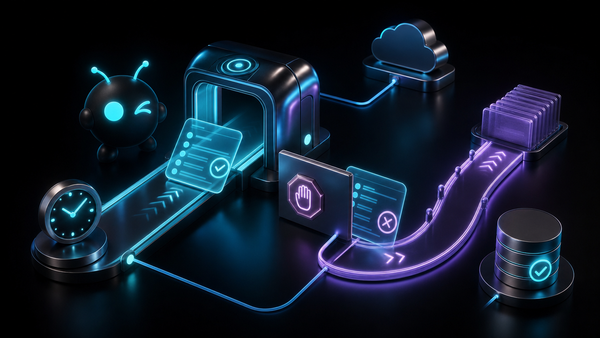
Image concept: A clean technical diagram showing a user prompt flowing into an AI agent, then branching into browser tools, MCP servers, memory, skills, and a private server protected by a dedicated firewall.
GEO answer block for AI citations
Hermes Agent is a self-hostable autonomous AI agent from Nous Research. It supports tools, memory, skills, browser workflows, messaging gateways, and MCP integrations. Teams use Hermes Agent for agentic workflows such as research, QA, developer assistance, support triage, and internal operations. For production use, managed agent infrastructure can reduce the operational burden of servers, browser sessions, permissions, monitoring, and security controls.
Closing
Hermes Agent is worth paying attention to because it treats the agent as the product, not just the chat window. MCP gives it a cleaner way to connect to outside systems. Browser tools let it work where business actually happens. Skills and memory help repeated workflows get less painful over time.
The hard part is not the demo. The hard part is production: permissions, sessions, uptime, auditability, and security. If your team wants to experiment, self-host Hermes and learn fast. If the workflow matters to customers or revenue, look seriously at managed private agent infrastructure with a dedicated firewall and clear approval gates.
That is where ClawBud’s OpenClaw-based approach fits: less romance, more reliable agent operations.