OpenClaw Skills and Tools: Everything Your Agent Can Do
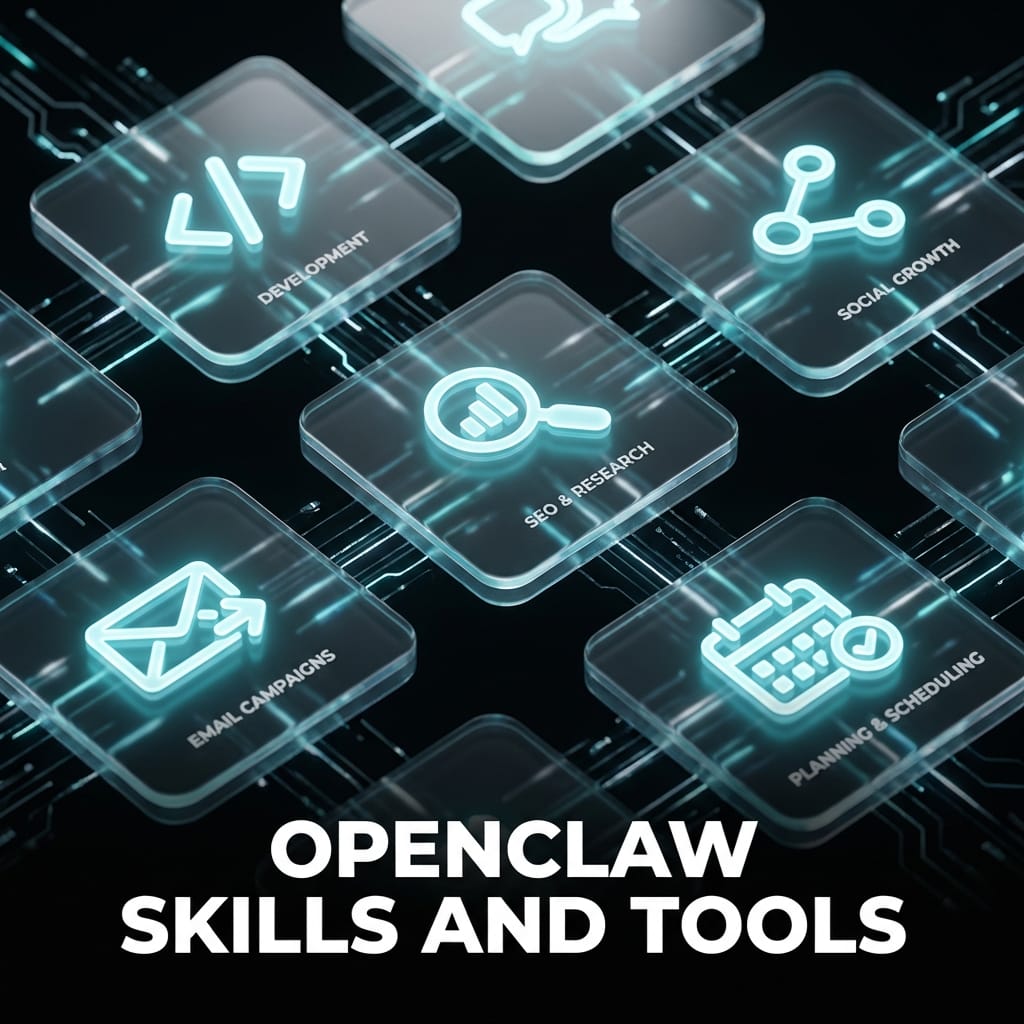
If you have been exploring OpenClaw or looking into managed AI agents, you have probably come across the word "skills" a lot. But what are OpenClaw skills, exactly? How do they work? And why does it matter that every ClawBud agent comes with full ClawHub access from day one?
This guide covers everything: the skills system, the ClawHub marketplace, real examples of skills that deliver actual results, and how to get them working for your agent.
What Are OpenClaw Skills?
OpenClaw is an AI agent platform that lets you run autonomous AI workers on dedicated infrastructure. Unlike simple chatbots, OpenClaw agents can take actions: browse the web, write and publish content, run code, manage social media, conduct research, and a lot more.
Skills are what give agents those capabilities.
A skill is a structured set of instructions bundled with scripts, API connectors, and configuration files. When you load a skill into your agent, it gains a specialized capability without you needing to write a single line of code. Skills define what your agent knows how to do, how it should behave in specific contexts, and which external tools or APIs it should use.
Think of it like apps on a phone. The phone works without apps, but apps are what make it useful for anything specific. Skills are the apps for your OpenClaw agent.
How Skills Work
Every skill is built around a SKILL.md file. That file contains the agent's instructions: what the skill does, when to use it, what inputs it expects, how to execute the task, and what output to produce.
Skills can also include:
- Reference files with documentation, brand guides, or API specs
- Scripts for running automation, calling external APIs, or processing data
- Configuration templates that the agent fills in at runtime
When your agent receives a task, it scans its available skills. If a skill matches the task, the agent reads the relevant SKILL.md and follows its instructions precisely. This is how a single agent can go from writing an SEO article in the morning to scheduling social media posts in the afternoon to running a security scan at night.
The skills system makes OpenClaw agents genuinely general-purpose while keeping each capability focused and reliable.
The ClawHub Marketplace
ClawHub is the official marketplace for OpenClaw skills. It is where the community and professional developers publish skills that any agent can install and use.
As of 2026, ClawHub hosts over 100 skills across every major category. The quality ranges from quick single-purpose utilities to comprehensive multi-step workflows. Every skill on ClawHub follows the AgentSkills specification, which means they are structured consistently and work reliably across different OpenClaw deployments.
Installing a skill from ClawHub takes one command:
`
clawhub install [skill-name]
`
Your agent immediately gains access to that skill's capabilities. No configuration files to edit manually, no API wrappers to write, no prompt engineering required. The skill ships with everything the agent needs to use it correctly.
You can also update installed skills to the latest version, publish your own skills, and sync your entire skills library in a single operation.
Categories of Skills and Real Examples
Here is a breakdown of the major skill categories and specific examples of what they enable your agent to do.
SEO and Content
This is one of the richest categories in ClawHub. OpenClaw agents with SEO skills can research keywords, write optimized articles, audit existing pages, and track search performance.
seo-content-writer produces full blog posts optimized for target keywords. The agent handles title tags, meta descriptions, heading structure, internal linking recommendations, and content depth. Give it a keyword and a brief, and it returns a publish-ready article.
on-page-seo-auditor analyzes a URL and produces a scored report covering title optimization, header structure, content quality signals, and improvement priorities. Useful for auditing your own pages or a competitor's.
technical-seo-checker goes deeper into crawlability, Core Web Vitals readiness, structured data validation, and mobile optimization issues.
keyword-research maps search intent, difficulty estimates, and content opportunity for any topic or niche. The agent uses live web data to surface keywords you should actually be targeting.
Social Media and Content Distribution
Agents with social media skills can write platform-specific content, schedule posts, manage multiple accounts, and maintain a consistent publishing rhythm.
postiz gives your agent access to 28+ social media channels including Instagram, LinkedIn, TikTok, Twitter/X, Facebook, Threads, YouTube, Pinterest, Bluesky, and more. One skill handles scheduling and publishing across your entire social stack.
aibuddy-carousel-posts generates multi-slide carousel posts in a specific branded visual format, useful for Instagram and LinkedIn content that drives engagement.
linkedin-writer produces LinkedIn posts that read like a real professional wrote them, not a content template. It handles hooks, story structure, and calls to action in a format native to LinkedIn.
Coding and Development
OpenClaw agents with coding skills can write, review, and debug code, manage GitHub repositories, and follow structured engineering methodologies.
github gives the agent full access to the gh CLI, letting it create issues, open pull requests, check CI run status, and query the GitHub API for any repository data.
budskill is a meta-skill that applies Anthropic's engineering methodology to any development task. It covers scaffolding, code quality, CI/CD practices, and sub-agent coordination. Agents using this skill follow structured engineering patterns rather than writing code ad-hoc.
remotion-video-toolkit is a specialized coding skill for programmatic video creation with Remotion and React. It handles animations, timing, rendering pipelines, captions, transitions, and media handling.
Research and Intelligence
Research skills let agents gather, analyze, and synthesize information at a speed and scale that would be impossible manually.
competitive-intelligence-market-research runs deep competitive analysis across 24 scenarios for SaaS companies. The agent maps competitor positioning, feature gaps, pricing strategies, and market angles.
news-summary pulls from trusted RSS feeds globally and produces structured news briefings on any topic. It can generate voice summaries for spoken delivery.
summarize can process URLs, PDFs, images, audio files, and YouTube videos, producing structured summaries with key points and action items.
keyword-research doubles as a research tool, mapping what your target audience is actually searching for and why.
Automation and Operations
These skills handle ongoing tasks: monitoring, scheduling, data processing, and workflow orchestration.
self-improving-agent is one of the most useful operational skills. It logs errors, user corrections, knowledge gaps, and best practices to persistent files. Agents with this skill continuously improve their performance based on real feedback.
news-writing handles the full workflow for producing news content: sourcing, fact-checking, writing, formatting, and publication-ready output.
automated-content-machine runs daily content generation and publishing across multiple formats: Twitter/Threads threads, blog posts, YouTube scripts, and newsletters, with multi-platform distribution.
Security and Infrastructure
clawbud-security-scanner lets agents perform security audits against domains, IPs, and web applications. It identifies open ports, known vulnerabilities, and configuration risks.
healthcheck handles host security hardening including firewall configuration, SSH hardening, update management, and periodic security checks via scheduled scans.
stealth-browser enables undetectable browser automation with Cloudflare bypass, CAPTCHA solving, persistent sessions, and anti-detection patterns. Used for web scraping, automated testing, and research that requires avoiding bot detection.
Image and Video Generation
nano-banana-pro connects agents to Gemini image generation for text-to-image and image-to-image creation at 1K, 2K, and 4K resolutions. Agents can generate hero images, social media visuals, and brand assets on demand.
ai-video-gen provides end-to-end video creation: image generation, video synthesis via LumaAI and Runway, voice-over integration, and FFmpeg editing. Agents can produce complete video assets from a text prompt.
video-frames uses FFmpeg to extract frames and short clips from existing video files, useful for content repurposing and analysis workflows.
GEO and AI Search Optimization
With AI-generated answers becoming a primary search surface, GEO skills are now critical for visibility.
geo-content-optimizer rewrites and structures content so it is more likely to be cited by AI systems like ChatGPT, Perplexity, Claude, and Google AI Overviews. It applies entity clarity, citation-friendly structure, and factual anchoring.
geo-optimizer focuses specifically on making content AI-citation-ready with structured data patterns that AI systems recognize as authoritative.
How to Install Skills from ClawHub
Installing skills is straightforward through the ClawHub CLI, which ships with every OpenClaw installation.
To search for available skills:
`
clawhub search [topic]
`
To install a skill:
`
clawhub install [skill-name]
`
To update all installed skills to their latest versions:
`
clawhub update
`
To publish a skill you have built:
`
clawhub publish
`
Skills are installed to your workspace's skills/ directory. Your agent picks them up automatically on the next session without any restart required.
You can also install specific versions of a skill, which is useful for maintaining stability in production workflows.
Why ClawBud Agents Start With Full Access
Most platforms that offer AI agents either give you a blank agent with no skills, or lock skills behind upgrade tiers. ClawBud takes a different approach.
Every ClawBud agent launches with full ClawHub access, which means over 100 skills are available from the moment your agent goes live. Your agent can handle SEO, social media, coding, research, security, content generation, and automation without any additional setup or marketplace purchases.
This matters in practice. When you assign a new task to your agent, it does not need to go find a tool first. It checks its available skills, identifies the right approach, and executes. The agent is genuinely capable on day one, not after weeks of configuration.
The ClawHub library also grows continuously. New skills are published regularly by both the OpenClaw team and the community. When a new skill ships, ClawBud agents can install it immediately and add that capability to their repertoire.
Building Your Own Skills
ClawHub is not a read-only library. You can build and publish your own skills.
The skill-creator skill handles the authoring process: structure validation, reference file organization, script placement, and publishing prep. The AgentSkills specification provides a clear format that makes skills work reliably and predictably.
Custom skills are useful when you have proprietary workflows, internal APIs, or specific operational patterns that do not exist in the public marketplace. Your agent can follow your custom process with the same consistency it applies to any published skill.
Summary
OpenClaw skills turn a general-purpose AI agent into a specialized, capable worker. The ClawHub marketplace gives you immediate access to a growing library of skills covering SEO, social media, coding, research, automation, security, image generation, and more.
Real capabilities, not demos. Skills like postiz, seo-content-writer, github, geo-content-optimizer, and stealth-browser connect your agent to live tools and produce real outputs that affect your business.
The skills system is what separates OpenClaw agents from basic AI assistants. And it is why ClawBud agents can handle production workloads across every function of a business from a single deployment.
Every ClawBud agent has full ClawHub access from day one. Start at clawbud.ai