Claude Code One Click Install: Add a Code Agent to Your OpenClaw Agent Army
SEO title: Claude Code One Click Install for Your OpenClaw Agent Army
Meta description: Learn how ClawBud adds Claude Code as a one click code agent inside a private OpenClaw agent army on a dedicated computer.
Slug: claude-code-one-click-openclaw-clawbud
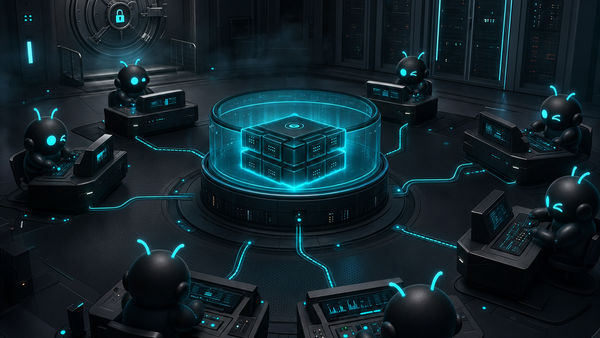
ClawBud is built around a simple idea: your business should have its own cloud-native agent army, not a chatbot in a tab and not a shared hosting account with a logo on top.
That matters most when you add code agents. Claude Code is powerful, but on its own it is still a command line coding tool. It can read files, reason through a codebase, write changes, run commands, and help with engineering work. What it does not give you by itself is the operating environment around the work: a private dedicated computer, OpenClaw-powered autonomous agents, browser access, channels, memory, orchestration, and per-agent firewall boundaries.
That is where ClawBud changes the shape of the feature. Claude Code becomes one specialist inside a larger OpenClaw agent army. Your autonomous agents can coordinate, research, operate through connected channels, use a browser, remember context where enabled, and hand off implementation work to a code-focused CLI when the job calls for it.
This guide explains what the Claude Code one click install does, who it is for, where it fits in the ClawBud system, what boundaries to respect, and how to use it without pretending a code CLI is the same thing as an autonomous business agent.
Table of contents
- What Claude Code one click install does
- Why ClawBud treats Claude Code as a specialist, not the whole army
- How it fits into your OpenClaw agent army
- Who should use it
- Tier and account notes
- Practical workflow
- Risks and boundaries
- Three practical use cases
- How to decide when to use Claude Code, Codex, Gemini CLI, or OpenClaw
- FAQs
What Claude Code one click install does
Claude Code one click install gives a ClawBud customer a fast path to install Claude Code on the same private cloud computer that runs the rest of the ClawBud agent stack.
Instead of asking a user to open a terminal, find the right package, install Node tooling, check system paths, debug permissions, and connect the result to the rest of their agent environment, ClawBud makes Claude Code an installable code agent inside the platform flow.
In plain English, it means this:
- Your ClawBud environment can include Claude Code without a manual setup project.
- The code agent lives next to OpenClaw and the rest of your agent army.
- The feature is meant for engineering work, repo work, debugging, refactoring, implementation planning, and code review support.
- It is not a replacement for OpenClaw autonomous agents.
- It is not a chatbot.
- It is not shared hosting.
The strongest way to think about it is: Claude Code is a high-skill engineer at the keyboard. OpenClaw is the autonomous agent runtime that can coordinate broader work across channels, tools, memory, browser sessions, and business context. ClawBud gives both of them a proper home on your own full computer.
Why ClawBud treats Claude Code as a specialist, not the whole army
A code CLI and an autonomous agent solve different problems.
Claude Code is excellent when the work has a codebase, a terminal, files, tests, and a clear implementation target. It can inspect a project, explain structure, propose changes, edit files, and run checks. That is a specialist job.
Autonomous OpenClaw agents are broader operators. They can sit inside a business workflow, respond through connected channels, use tools, operate a real browser where configured, remember context, and coordinate work with other agents. They are not limited to the shape of a repo.
This distinction matters because many products blur it on purpose. They show a coding assistant and imply that you now have an agent army. You do not. You have a code tool.
ClawBud does not make that mistake. Claude Code is one installable code agent inside a cloud-native agent army. The product value comes from the full system around it: OpenClaw, Hermes, browser access, skills, MCP, integrations, channels, Business Room, CRM where enabled, memory where enabled, wallet rails where gated, and managed support.
How Claude Code fits into your OpenClaw agent army
Inside ClawBud, OpenClaw is a core runtime. It is the base layer for autonomous agent work. ClawBud wraps that runtime in a private, managed environment with a full dedicated computer for each customer.
Claude Code fits as a code execution and code reasoning specialist.
A practical agent army might look like this: OpenClaw handles the persistent agent layer, Hermes coordinates multi-agent work and channel flows, Space Agent gives a visual workspace, the real browser handles web tasks, Memory Wiki stores reusable context where enabled, and Claude Code handles codebase tasks that need a coding CLI. Codex, Gemini CLI, or OpenCode can sit beside it when the job calls for a different model, auth path, or workflow preference.
That is the point of a cloud-native agent army. You are not betting the whole business workflow on one tool. You are building a fleet where each tool has a job.
Claude Code is strongest when an OpenClaw agent or human operator has already defined the technical target. For example, “inspect this repo and explain why the build fails” is a Claude Code-shaped task. “Watch customer messages, update CRM records, search the web, create a plan, and ask for approval before changing production copy” is an autonomous agent-shaped task.
The two can work together, but they are not the same category.
Who should use Claude Code in ClawBud
Claude Code one click install is mainly for teams and operators who want engineering capability inside the same environment as their agent army.
It is a strong fit for:
- Founders who need a technical agent to inspect and improve product code.
- Agencies that manage client automation, websites, scripts, and internal tools.
- Operations teams with small scripts, connectors, webhooks, and dashboard glue.
- Product teams that want faster debugging and implementation support without building a separate developer box for every agent workflow.
- AI teams that already use OpenClaw and want coding CLIs available as specialist workers.
It is less useful if you only want a simple chat assistant. ClawBud is not trying to be that. It is for people who want an actual agent operating environment with a real private computer behind it.
Tier and account notes
Plan details can change as the product evolves, so the safe rule is this: Claude Code belongs to the code agent and CLI layer, while your overall ClawBud plan controls the power of the dedicated computer, monthly credits, model access, channels, skills, and support level.
The current public tier shape is BYOK at $20, Starter at $39, Pro at $79, and Business at $169 per month. BYOK is for users who bring model keys. Starter includes the core server, agent, AI access, credits, and Telegram. Pro adds a stronger dedicated computer, broader model access, more credits, WhatsApp and Discord, all Skills, and Pro-gated agents where available. Business adds a high-performance dedicated computer, higher credits, all channels, priority support, all Skills, and custom integrations.
For Claude Code itself, you should also expect the normal auth reality of coding tools: some capabilities may depend on the customer’s Anthropic or Claude account status, API access, subscription state, or the current ClawBud-supported connection flow. ClawBud can simplify installation. It should not be read as a promise that third-party account rules disappear.
Practical workflow
A good Claude Code workflow in ClawBud usually starts with a clear task and a safe boundary.
First, decide whether the job belongs to a code CLI or to an autonomous OpenClaw agent. If the work is mostly repo inspection, implementation, tests, refactoring, or command output, Claude Code is a good candidate. If the work is customer communication, browser research, CRM updates, scheduling, channel responses, or multi-step business operations, start with OpenClaw or Hermes.
Second, define the working directory and goal. Do not ask a code agent to “make it better.” Ask it to find why a specific test fails, add one feature, review one module, or explain a dependency risk.
Third, run the smallest meaningful verification step. That might be a typecheck, test command, build, lint, direct file inspection, or a screenshot if the work affects UI.
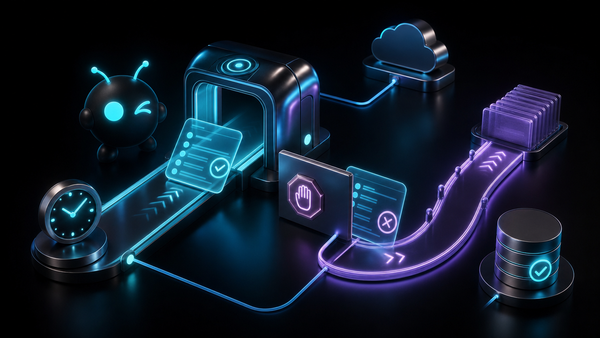
Fourth, keep human approval in the loop for risky work. A code agent can be fast. That is useful. It also means a vague instruction can become a lot of changed files before anyone notices. ClawBud’s private computer and per-agent firewall boundaries help create a safer environment, but safety still needs good operating habits.
Fifth, feed the result back into the agent army. If Claude Code explains a bug, that summary can become a Memory Wiki note where enabled. If it implements a fix, an OpenClaw agent can help draft a changelog, notify the right channel, or prepare a customer-facing explanation.
Risks and boundaries
Claude Code is powerful because it can work close to source code. That is also why it needs boundaries.
The first boundary is scope. A code CLI should not be treated as a business operator. It should not be the thing managing customer conversations, running open-ended outreach, or making business decisions across tools. It can help build the systems that do those things, but it is not the same as an autonomous OpenClaw agent.
The second boundary is permissions. Give the agent access to the work it needs, not everything by default. ClawBud’s positioning around per-agent firewall boundaries exists for this reason. Agent work should happen inside a serious operating environment, not a shared box where every tool can touch everything.
The third boundary is secrets. Do not paste credentials into prompts. Do not ask a code agent to print secrets. Use environment variables, existing auth flows, and approved platform patterns.
The fourth boundary is deployment. A code agent can write a good patch and still be wrong about production timing. Publishing, billing, infrastructure, dashboards, customer data, and destructive operations should follow your approval process.
The fifth boundary is expectations. Claude Code can be extremely helpful, but it is not magic. It can misunderstand a codebase, miss an edge case, or overfit to a failing test. Treat it like a very fast engineer: useful, skilled, and still worth reviewing.
Three practical use cases
1. Debugging a broken feature
A founder wakes up to a broken dashboard flow. The autonomous OpenClaw agent can collect the symptom, browser behavior, recent notes, and user impact. Claude Code can then inspect the repo, trace the likely source, propose a patch, and run a verification command.
That split is clean. OpenClaw handles operational context. Claude Code handles code reasoning.
2. Adding a small internal automation
An agency wants a script that pulls form leads into a CRM, tags them, and prepares a weekly summary. OpenClaw can own the business process. Claude Code can help build the connector, clean up the script, add validation, and write the runbook.
This is exactly where a dedicated computer matters. The agent army is not squeezed into a shared sandbox. It has room for code tools, browser work, integrations, memory, and channel operations in one managed environment.
3. Reviewing a client repo before a handoff
Before taking over a client project, an operator can ask Claude Code to map the repo, identify risky dependencies, check build health, and summarize what needs attention. An OpenClaw agent can turn that into a client-friendly report, assign follow-up tasks, and store the useful findings.
How to decide between Claude Code, Codex, Gemini CLI, and OpenClaw
Use Claude Code when the work is codebase-heavy and you want Anthropic’s coding workflow in the terminal.
Use Codex when the work fits your OpenAI or ChatGPT subscription auth flow and you want that model family involved in code tasks.
Use Gemini CLI when you want Google’s CLI path and model behavior for technical work.
Use OpenCode when you want another code agent option in the same specialist layer.
Use OpenClaw when the job is autonomous operation, not just code. That includes workflows, channel responses, browser tasks, memory-backed work, approvals, research, CRM operations, and multi-step business tasks.
The best ClawBud setup does not ask one agent to be everything. It gives each agent a job and lets the army operate on a private dedicated computer.
Why this matters for businesses
Most businesses do not need another chat window. They need a system that can actually work.
That is why ClawBud’s positioning matters: your own cloud-native agent army. Each customer gets a full dedicated computer, a real OpenClaw-powered agent army, and per-agent firewall boundaries, deployed in one click. Claude Code one click install fits that promise because it adds practical engineering capability without turning the whole product into a code-only tool.
CTA: start with ClawBud
If you want Claude Code as part of a larger OpenClaw agent army, start with ClawBud.
You get a private dedicated computer, OpenClaw-powered autonomous agents, one click setup, real browser access, per-agent firewall boundaries, installable code agents and CLIs, integrations, channels, and managed support.
Start at clawbud.ai and build your own cloud-native agent army.
FAQs
Is Claude Code an autonomous agent?
No. Claude Code is a code agent and CLI built for coding work. In ClawBud, it sits beside autonomous OpenClaw agents, but it does not replace them.
Why install Claude Code through ClawBud instead of using it locally?
ClawBud puts Claude Code inside the same private cloud computer as your OpenClaw agent army. That means your coding specialist can live near the browser, channels, memory where enabled, skills, integrations, and orchestration layer instead of sitting alone on a laptop.
Does ClawBud replace OpenClaw with Claude Code?
No. OpenClaw remains a core runtime in ClawBud. Claude Code is an installable specialist for code work, while OpenClaw handles broader autonomous agent workflows.
Which ClawBud tier includes Claude Code?
The current ClawBud wiki lists Claude Code as a one click installable code agent and CLI. Your selected plan controls the dedicated computer size, credits, model access, channels, skills, and support level. Third-party Claude or Anthropic account requirements may still apply.
Is ClawBud shared hosting?
No. ClawBud gives each customer a full dedicated computer for their agent army. The product is designed around private infrastructure, OpenClaw-powered agents, and per-agent firewall boundaries.
Can Claude Code use the real browser?
Claude Code itself is a coding CLI. Browser work belongs to the broader ClawBud environment and autonomous agent layer. That separation is useful because browser operations and codebase operations need different controls.
Can I use Codex and Claude Code together?
Yes, that is the point of the code agent layer. ClawBud can support multiple code agents and CLIs such as Claude Code, Codex, Gemini CLI, and OpenCode, while OpenClaw handles the autonomous side of the army.
What should I not use Claude Code for?
Do not use it as a general business operator, customer support agent, or unchecked deployment bot. Use it for code tasks, review its work, and keep risky changes behind approval.
What makes this different from a chatbot with code features?
ClawBud is not a chatbot. It is a managed Agentic OS with OpenClaw, a private dedicated computer, real browser access, per-agent firewall boundaries, specialist code agents, channels, integrations, and support.