The Agentic OS for Your AI Agent Army: Why ClawBud Is More Than OpenClaw Hosting
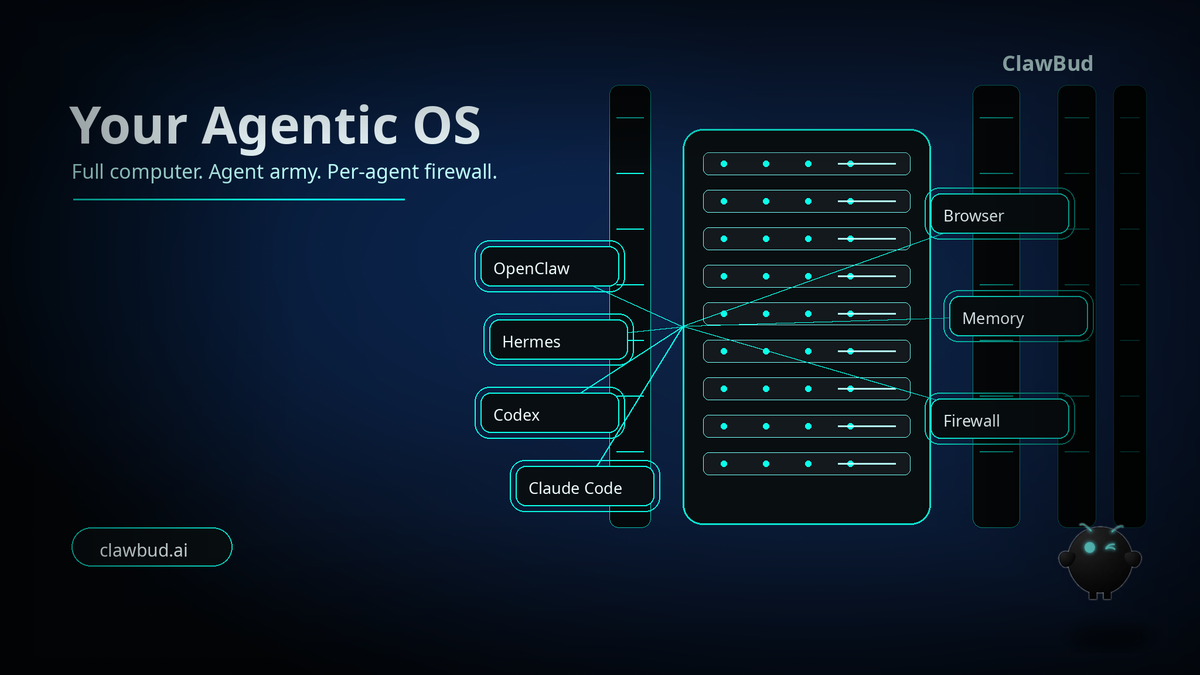
Most teams still think about agents like chat windows.
That is already old thinking.
A chatbot waits. A code agent writes code when you point it at a repo. A real autonomous agent army needs somewhere to live, tools to use, memory to build from, a browser to operate in, boundaries that keep it contained, and a command layer where the business can actually direct work.
That is the gap ClawBud is built for.
ClawBud is not a chatbot. Not a shared container. A full computer, a real army of agents, and a per-agent firewall, all yours, deployed in one click.
The core runtime includes OpenClaw, but ClawBud is bigger than OpenClaw hosting. It is a fully managed Agentic OS for your AI agent army, running on your own private cloud computer with OpenClaw, Hermes, code agents, browser access, integrations, skills, MCP, Business Room, CRM, and dedicated firewall boundaries ready in clicks.
If you want to start from the product itself, go to ClawBud. If you are comparing plans, the live plans are on ClawBud pricing.
What an Agentic OS actually means
An Agentic OS is the operating layer around autonomous work.
It is not just the model. It is not just a terminal. It is not just a hosted OpenClaw instance. The useful system is the combination of agents, tools, memory, integrations, browser access, permissions, channels, security, and business context.
That is why ClawBud is positioned as your own cloud-native agent army.
The cloud-native part matters because your agents are not trapped on a laptop or scattered across random SaaS dashboards. They run on a private cloud computer that is always available. The army part matters because modern work is not one assistant doing everything. It is different agents with different roles.
OpenClaw is the general autonomous runtime. Hermes is the orchestration pillar. Space Agent gives browser-centered work a real environment. Claude Code, Codex, Gemini CLI, and OpenCode cover coding and CLI work. Business Room and CRM connect the agent layer to real company operations.
That mix makes ClawBud different.
Code agents are not the same as autonomous agents
A code agent is built for technical work. It edits files, runs commands, checks logs, and helps ship software. Codex, Claude Code, Gemini CLI, and OpenCode belong in that lane.
An autonomous agent has a wider job. It can work across browser sessions, channels, memory, files, integrations, CRM data, and workflows. OpenClaw and Hermes belong in that broader operating layer.
ClawBud puts both types in one managed environment, so coding work and business work do not get forced into the same shape.
Why a full computer beats shared containers
Shared containers are fine for demos. They are not the right foundation for a business agent army.
A full computer gives your agents room to operate. It can hold persistent files, browser state, memory, local tools, service configuration, and integrations without treating every task like a disposable experiment. It also gives the system a cleaner ownership model. This is your environment, not a slice of a shared pool pretending to be private.
For OpenClaw agents, that changes the quality of work.
A browser can stay useful. Memory can compound. Files can persist. Integrations can be configured once and used repeatedly. The agent can become part of the business rhythm instead of starting from zero every session.
This is also why ClawBud avoids the bare server story. The customer should not need to become a DevOps team. ClawBud handles the managed setup and gives the customer the operating layer, not a blank box with a to-do list.
If you want the deeper infrastructure angle, read Why a Full Computer Beats a Shared AI Container.
The dedicated firewall is not a footnote
Autonomous agents need boundaries.
The moment an OpenClaw agent can use a browser, connect channels, read files, work with CRM data, call integrations, or prepare transactions, the question changes from “Can it do the task?” to “Can it do the task inside the right boundary?”
Why OpenClaw needs browser, memory, integrations, and context
OpenClaw is most useful when it has the same kind of operating surface a human worker would need.
That means a real browser for web tasks. Persistent memory for context. Integrations for Telegram, WhatsApp, Discord, Slack, Google services, and business systems. Skills and MCP so capabilities can be added without rebuilding the whole stack. CRM and Business Room so work can connect to customers, deals, tasks, and internal priorities.
A business does not run on one universal worker. It runs on roles, handoffs, tools, records, approvals, and repeatable workflows. ClawBud gives those agents a shared command center while still keeping their work separated by role and boundary.
What you get in ClawBud today
ClawBud is designed as a ready system, not a construction kit.
Depending on plan and feature access, the environment can include multi OpenClaw agents, Hermes, Space Agent, Claude Code, Codex, Gemini CLI, OpenCode, Nemo Claw, Automaton, DeerFlow 2.0, CRM, Business Room, Skills-IL, one-click integrations, one-click skills and MCP, browser access, memory features, and wallet rails where enabled.
The plans are simple. BYOK is for users bringing their own model keys. Starter is the first managed setup with included credits. Pro adds more channels, more models, and advanced agents. Business is built for teams that need higher capacity, priority support, and custom integrations.
You can compare the current plans on ClawBud pricing.
Who ClawBud is for
ClawBud is for people who already understand that agents are not a toy category anymore.
It fits founders who want more output without hiring a full technical team first. It fits developers who want OpenClaw plus a managed business layer instead of another weekend setup project. It fits agencies that need agents with browsers, channels, memory, and client workflows. It fits teams that want code agents and autonomous agents in the same private operating environment.
It is probably not for someone who only wants a chat assistant to answer simple questions.
That is fine. There are plenty of chatbots.
ClawBud is for the next step: a private cloud command center where your OpenClaw agent army can actually work.
Start with ClawBud
The simplest way to understand ClawBud is to stop comparing it to chatbots.
Compare it to hiring a small digital operations team, then giving that team its own private computer, browser, memory, channels, integrations, code tools, business context, and firewall boundaries.
That is the product.
Your own cloud-native agent army. OpenClaw inside it. Hermes beside it. Code agents where they belong. Autonomous agents where they belong. A full computer underneath. One-click setup on top.
Start at clawbud.ai.
FAQs
Is ClawBud just OpenClaw hosting?
No. OpenClaw is a core runtime inside ClawBud, but ClawBud is the managed Agentic OS around it. You get the private cloud computer, agent army, browser access, integrations, skills, MCP, Business Room, CRM, support, and dedicated firewall boundaries.
Why does ClawBud say full computer instead of shared container?
Because autonomous agents need a persistent operating environment. A full computer gives your OpenClaw agents space for browser state, files, memory, tools, and integrations instead of treating every task like a disposable session.
What is the difference between Codex or Claude Code and OpenClaw?
Codex and Claude Code are code agents or CLI-style agents built mainly for software work. OpenClaw is broader autonomous agent infrastructure. ClawBud lets both live in the same managed agent army so each agent type does the work it is best suited for.
What does the dedicated firewall do?
The dedicated firewall creates real network boundaries around agent work. That matters when agents have tools, browser access, integrations, files, and business context. Autonomous systems need power, but they also need limits.
Can non-technical users set this up?
Yes. ClawBud is built around one-click setup and managed support. The point is to avoid making the customer install packages, configure servers, or learn terminal operations just to start using an OpenClaw agent army.
Which ClawBud plan should I start with?
BYOK is best if you already have model keys. Starter is the easiest first managed setup. Pro is the better fit if you want more channels, advanced agents, and a heavier operating stack. Business is for teams that need more capacity and priority support.